

 By Kaustubh Saini
Almost every program you write needs to hold on to a value and use it again later. That's all a variable really is: a name you stick on a value so you can reach for it whenever you want. Save someone's age once under the name age, and you can write age all over your code instead of typing the number again and again.
Python keeps this delightfully simple. You make a variable just by assigning a value to it, with no type to declare up front. We'll cover how to create variables, the naming rules, how they change, how Python deals with types, and a handful of gotchas that catch people out, each with a snippet you can run.
What is a variable?
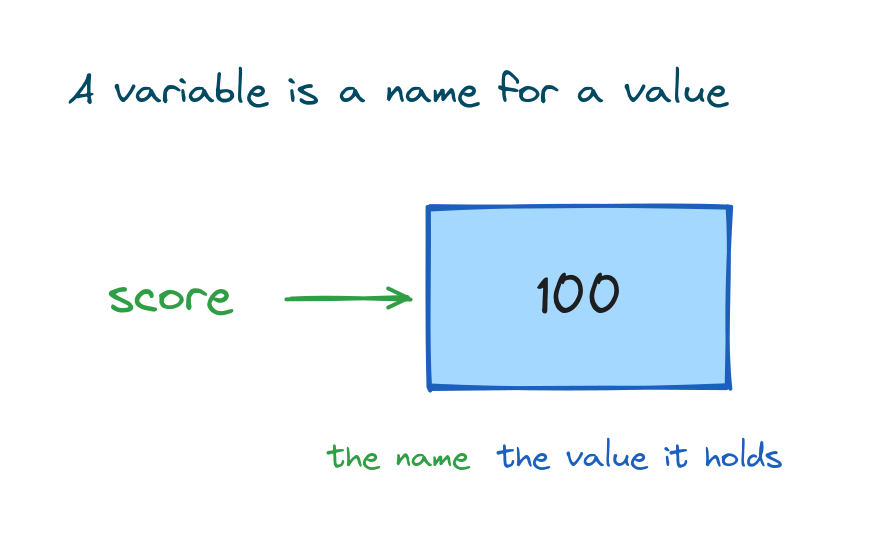
A variable is a name that points to a value sitting in memory. Picture the value tucked inside a box, and the variable is the label stuck on the front. When you use the label, Python goes and grabs whatever's in the box.
score = 100
print(score)
# Output: 100
Here score is the name and 100 is the value. From this point on, writing score hands you back 100.
Creating a variable
You make a variable with a single equals sign. The name sits on the left, the value on the right, and that's it. There's no separate declare step and no type to write down.
name = "Sara"
age = 25
is_student = True
print(name, age, is_student)
# Output: Sara 25 True
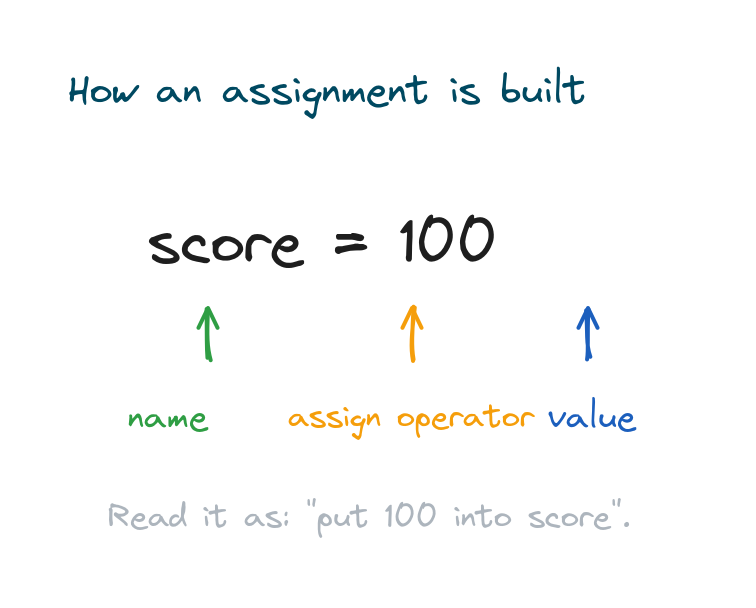
Read age = 25 as "put 25 into age". That = isn't the "equals" from maths class, it means "assign". You can stash text, numbers, booleans, and any other kind of value this same way.
Changing a variable's value
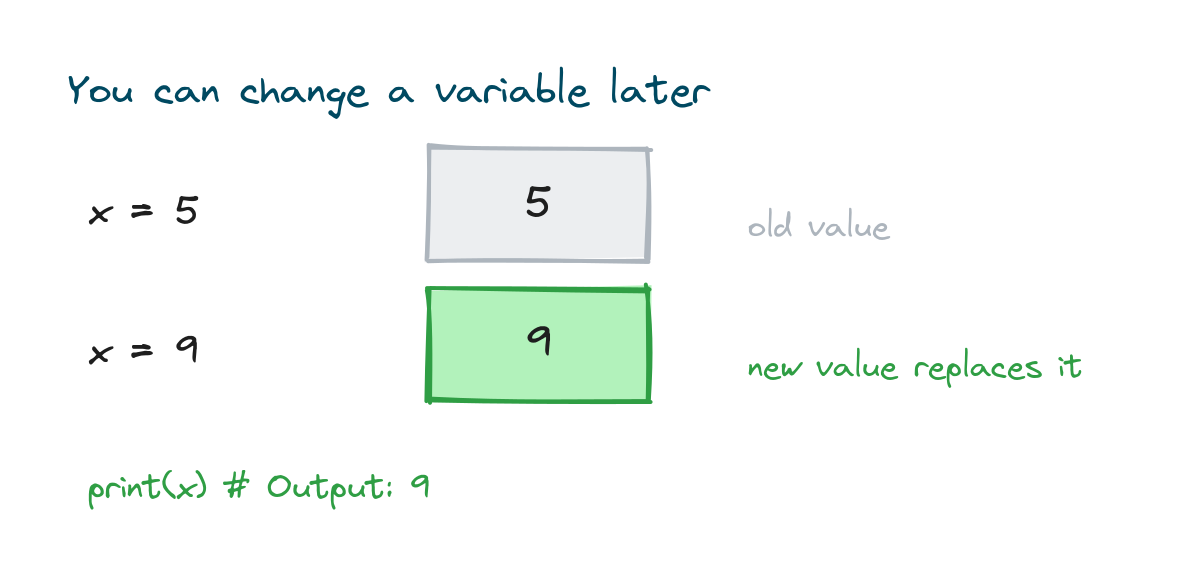
You can reassign a variable any time you like. Give it a new value and the old one is gone, replaced. The name stays put; the box just holds something different now.
x = 5
print(x)   # Output: 5
x = 9
print(x)   # Output: 9
You can even build the new value out of the old one. This shows up constantly in counters and running totals:
count = 10
count = count + 1
print(count)
# Output: 11
Rules for naming variables
Python is strict about a few things when it comes to names. A name can use letters, digits, and underscores. It has to start with a letter or an underscore, never a digit. It can't have spaces in it. And it can't be a Python keyword like if or class.
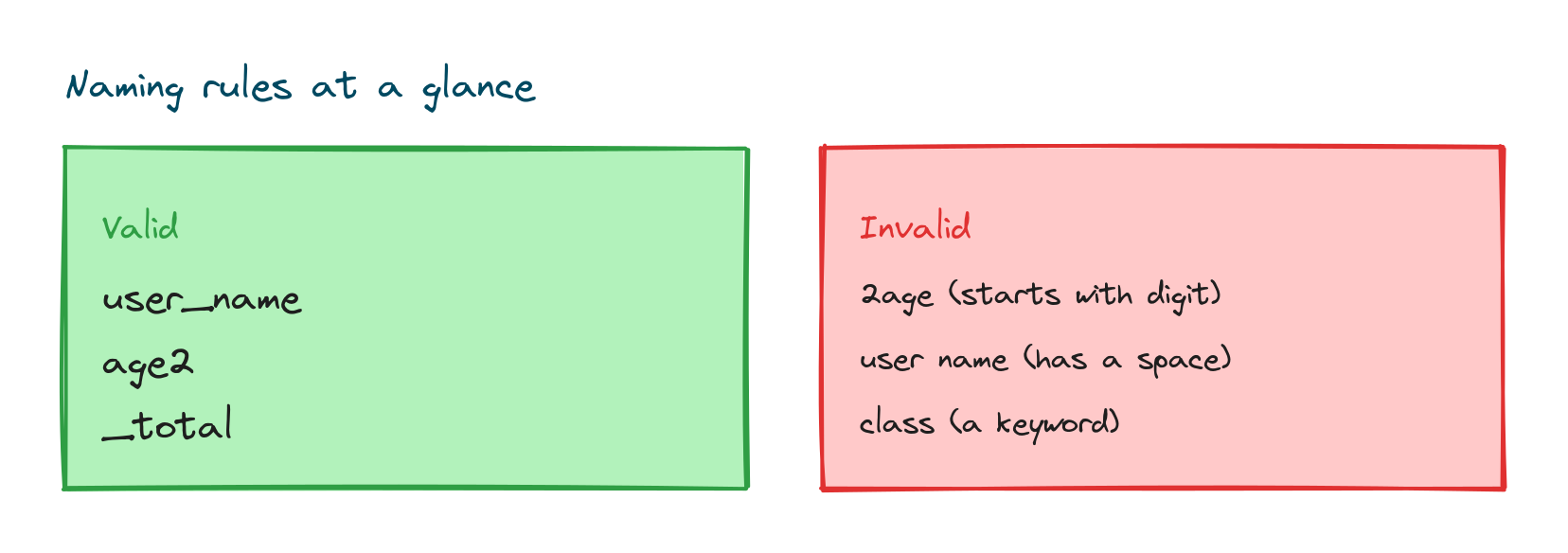
user_name = "Ravi"   # valid
age2 = 30            # valid
_total = 0           # valid
# 2age = 1           # invalid: starts with a digit
# user name = 1      # invalid: has a space
# class = 1          # invalid: class is a keyword
Names are also case sensitive, so age, Age, and AGE count as three completely separate variables. The full list of words you can't use shows up in the lesson on Python keywords and identifiers.
Naming style that people can actually read
The rules tell you what's allowed. Convention tells you what's good. Python code uses snake_case for variable names, which is all lowercase with underscores between words. Pick names that describe what they hold and your code starts reading almost like plain English.
first_name = "Ana"
total_price = 250
items_in_cart = 3
print(first_name, total_price, items_in_cart)
# Output: Ana 250 3
Go with total_price over something like tp or x. A clear name saves you, and whoever reads your code next, from having to guess what it means.
Assigning several variables at once
Python lets you set up more than one variable on a single line. You can hand several names the same value, or split several values out into several names in one go.
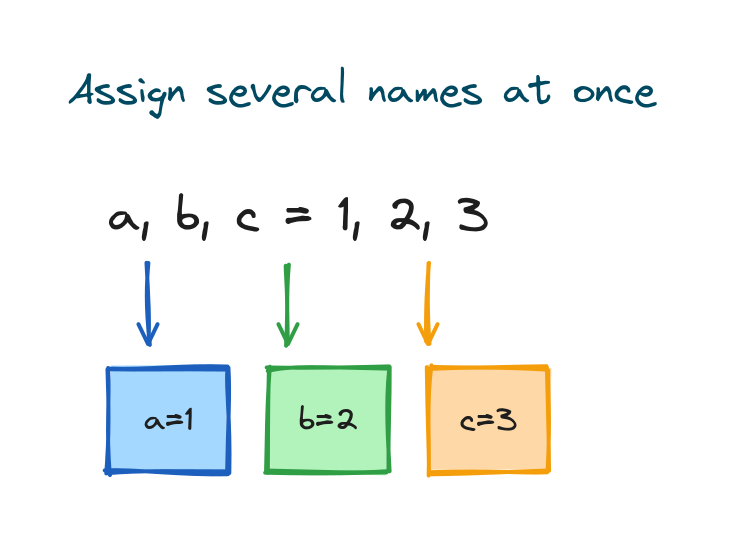
a, b, c = 1, 2, 3
print(a, b, c)
# Output: 1 2 3

x = y = z = 0
print(x, y, z)
# Output: 0 0 0
This also gives you a tidy trick for swapping two variables with no temporary one in the middle:
a, b = 10, 20
a, b = b, a
print(a, b)
# Output: 20 10
Variables have no fixed type
You never declare a type in Python. The value decides the type, and Python quietly keeps track of it. This is called dynamic typing. The very same variable can hold a number now and a piece of text a moment later.
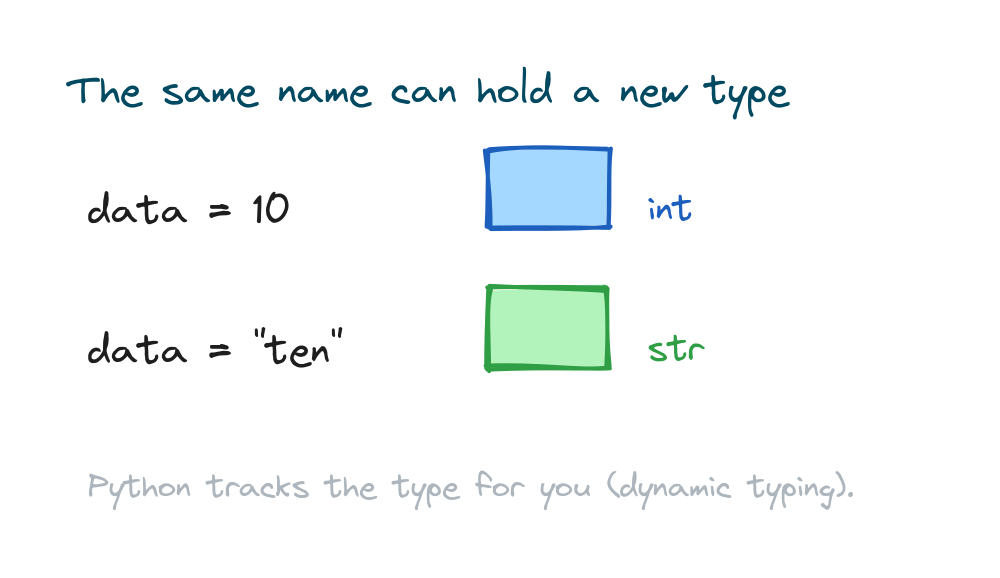
data = 10
print(type(data))   # Output: <class 'int'>
data = "ten"
print(type(data))   # Output: <class 'str'>
The type() function tells you the current type of a value, which is handy while you're still finding your feet. And when you need to switch a value from one type to another on purpose, that's its own lesson on Python type casting and conversion.
Getting a value from the user
A lot of the time, the value in a variable comes from outside the program, like something the user types in. The input() function reads a line and you save it straight into a variable, which the lesson on the Python input() function walks through in detail.
color = input("Favourite colour: ")
print("You chose", color)
# Favourite colour: green
# Output: You chose green
Constants by convention
Python has no special "constant" keyword, but there's a convention people follow. When a value isn't meant to change, you name it in all capitals. It's a signal to whoever reads the code, not a real lock, so Python will happily let you change it anyway.
PI = 3.14159
MAX_USERS = 100
print(PI, MAX_USERS)
# Output: 3.14159 100
Practice exercises
Type each one out and run it.
Store and print
Create a variable for your city and print a sentence using it.
# Solution
city = "Delhi"
print("I live in", city)
# Output: I live in Delhi
A running total
Start a total at 0, add 5 to it, then add 3, and print the result.
# Solution
total = 0
total = total + 5
total = total + 3
print(total)
# Output: 8
Swap two values
Set a to "left" and b to "right", then swap them in one line.
# Solution
a, b = "left", "right"
a, b = b, a
print(a, b)
# Output: right left
Common mistakes
- Starting a name with a digit.
2nd = 1is invalid; usesecond = 1. - Using a space in a name. Use an underscore:
user_name, notuser name. - Forgetting case sensitivity.
Nameandnameare different variables. - Using a value before assigning it. Referring to a name you never set raises a
NameError. - Naming a variable after a built-in. Naming something
listorstrhides the real one; pick another name.
Frequently asked questions
How do I create a variable in Python?
Write a name, an equals sign, and a value, like age = 25. No type to declare, no separate keyword.
Do I need to declare the type of a variable?
No. Python uses dynamic typing, so the value sets the type for you. Check the current type with type(variable).
What characters can a variable name contain?
Letters, digits, and underscores. It must start with a letter or underscore, can't contain spaces, and can't be a keyword. Names are case sensitive.
What is the difference between = and == in Python?
A single = assigns a value to a variable. A double == compares two values and gives back True or False. They aren't interchangeable.
Can a variable change its type?
Yes. Assign a number to a variable now and text to the same name later. Python just tracks the new type.
How do I make a constant in Python?
Python has no true constants, but the convention is to name the value in all capitals, like PI = 3.14159, to signal it shouldn't change.
Key takeaways
- A variable is a name that points to a value; create it with
name = value. - Variables can be reassigned freely, and the new value replaces the old.
- Names use letters, digits, and underscores, must not start with a digit, and are case sensitive.
- Python uses dynamic typing, so you never declare a type.
- Use clear
snake_casenames, and all caps by convention for values meant to stay fixed.
Variables are where a program keeps all its data, but a number behaves nothing like a piece of text or a True/False flag. Sorting out those differences is what comes next, so head over to the lesson on Python data types to see the kinds of values a variable can hold.