

 By Kaustubh Saini
You'll often have a value of one type and need it as another. A string of digits that should really be a number. A number you want to drop into a sentence. A value you want to test as true or false. Turning one type into another is called type casting, or type conversion, and you'll do it constantly in everyday Python.
We'll cover the conversion functions, the difference between conversions Python does for you and ones you ask for, the input case that sends most beginners here, and the errors to watch for. Each part has a short example you can run.
What is type casting?
Type casting means converting a value from one data type to another. You wrap the value in the name of the type you want, like int() or str(), and Python hands you back a new value of that type.
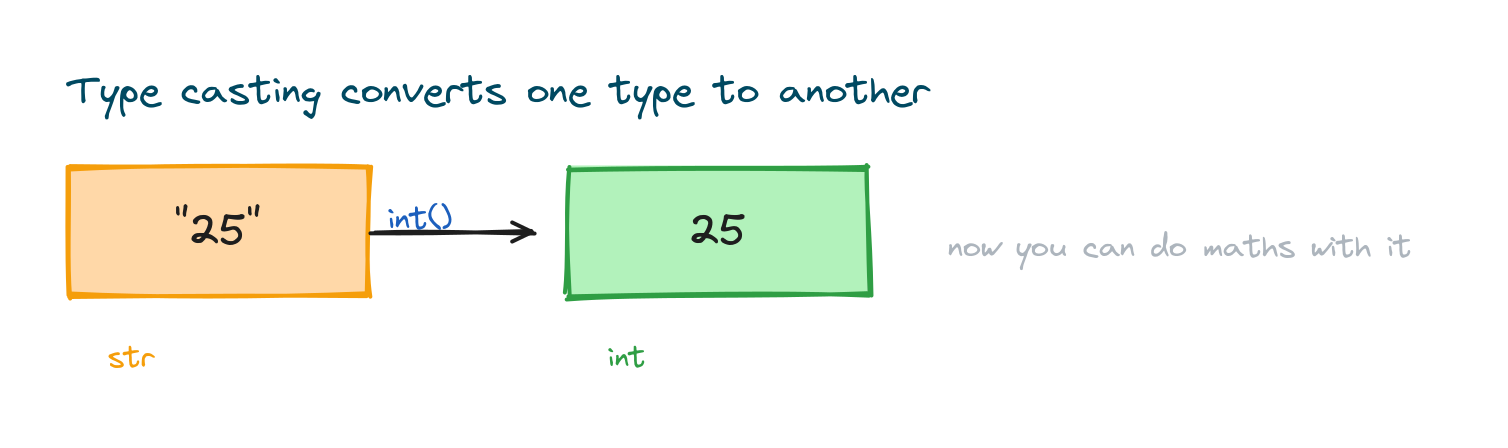
text = "25"
number = int(text)
print(number + 1)
# Output: 26
The original value doesn't change. You get a brand new value of the new type. Here text is still the string "25", while number is the integer 25.
The main conversion functions
Each built-in type has a function with the same name that converts a value into it. The four you'll lean on most are int(), float(), str(), and bool().
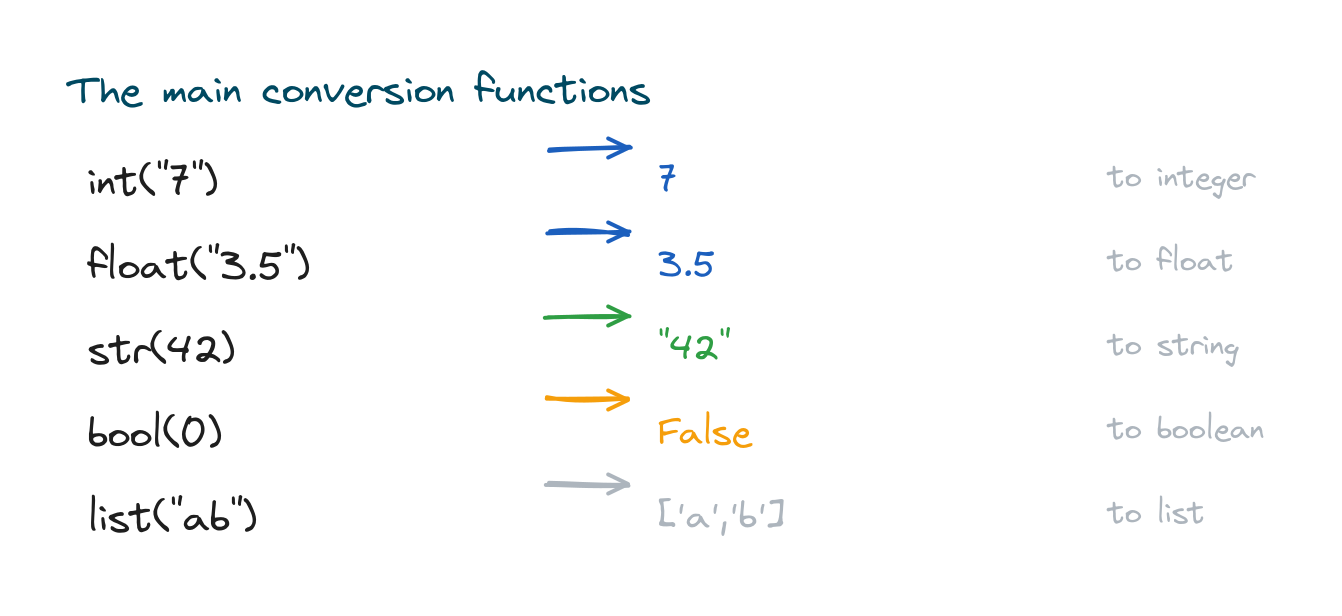
print(int("7"))      # 7
print(float("3.5"))  # 3.5
print(str(42))       # "42"
print(bool(0))       # False
# Output:
# 7
# 3.5
# 42
# False
You can also convert between containers. For instance, list("abc") gives ['a', 'b', 'c'].
Converting to a string
The str() function turns any value into text. That's what lets you join a number to a message, though an f-string is often cleaner for the same job.
age = 30
print("Age: " + str(age))
print(f"Age: {age}")
# Output:
# Age: 30
# Age: 30
Skip the str() and "Age: " + age raises a TypeError, because you can't add text and a number directly.
Converting to a number
Use int() for whole numbers and float() for decimals. One detail to remember: int() on a float drops the decimal part rather than rounding it.
print(int("100"))    # 100
print(float("9.99")) # 9.99
print(int(7.9))      # 7  (drops the .9, does not round)
# Output:
# 100
# 9.99
# 7
Converting to a boolean
The bool() function follows one simple rule. Empty or zero values become False, and everything else becomes True. So 0, 0.0, "", and empty containers are all "falsy".
print(bool(0))     # False
print(bool(""))    # False
print(bool("hi"))  # True
print(bool(42))    # True
# Output:
# False
# False
# True
# True
Implicit versus explicit conversion
Python sometimes converts types for you. Mix an int and a float, and it quietly promotes the int to a float so the maths works. That's implicit conversion. When you call int() or str() yourself, that's explicit conversion.
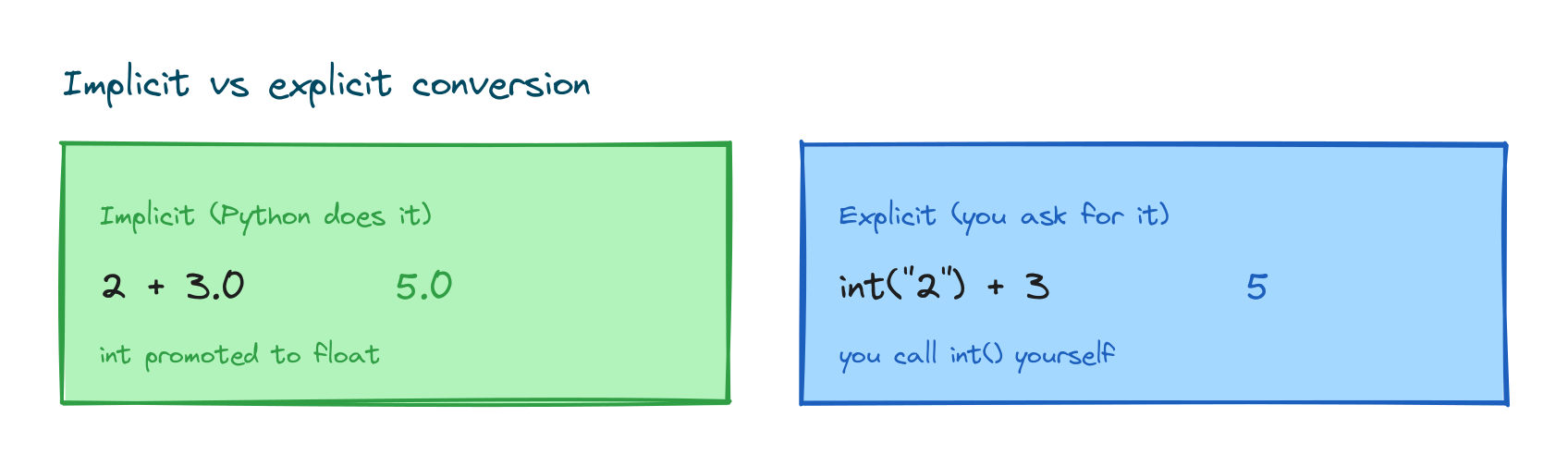
print(2 + 3.0)         # 5.0  (Python promotes 2 to 2.0)
print(int("2") + 3)    # 5    (you converted "2" yourself)
# Output:
# 5.0
# 5
Python won't turn text into a number on its own, though. That part is always your call.
Converting user input
The input() function always returns a string, even when the user types digits. To do maths with it, you convert it first. This is the single most common reason beginners reach for casting.
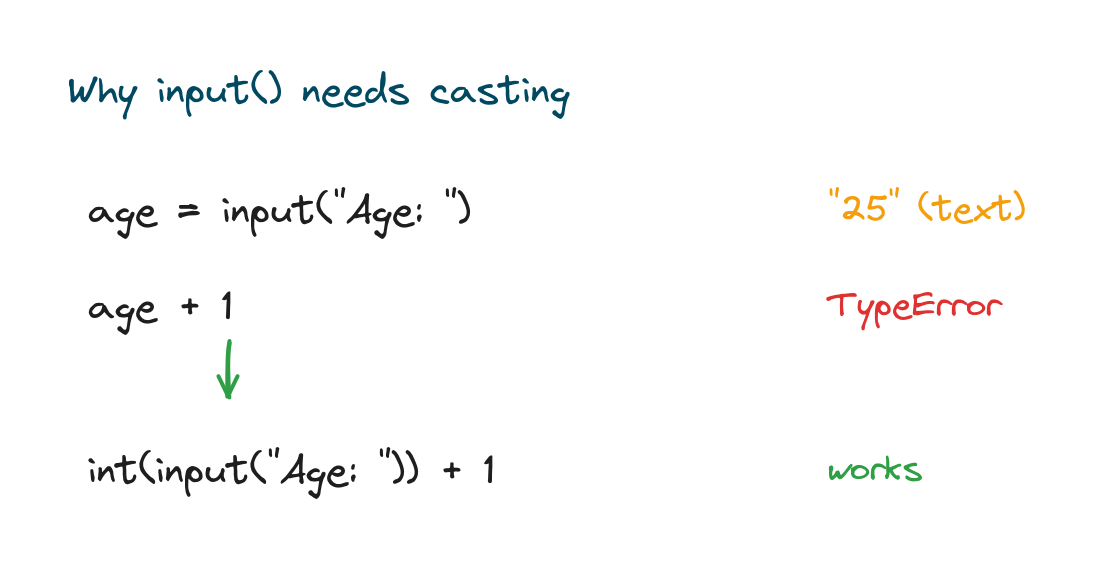
# age = input("Age: ")     # returns text like "25"
# age + 1                  # TypeError: can't add str and int
# age = int(input("Age: ")) + 1   # works: converts first
The full story on reading input lives in the lesson on the Python input() function.
When conversion fails
Converting only works when the value actually makes sense as the target type. int("42") is fine, but int("abc") raises a ValueError, because "abc" isn't a number.
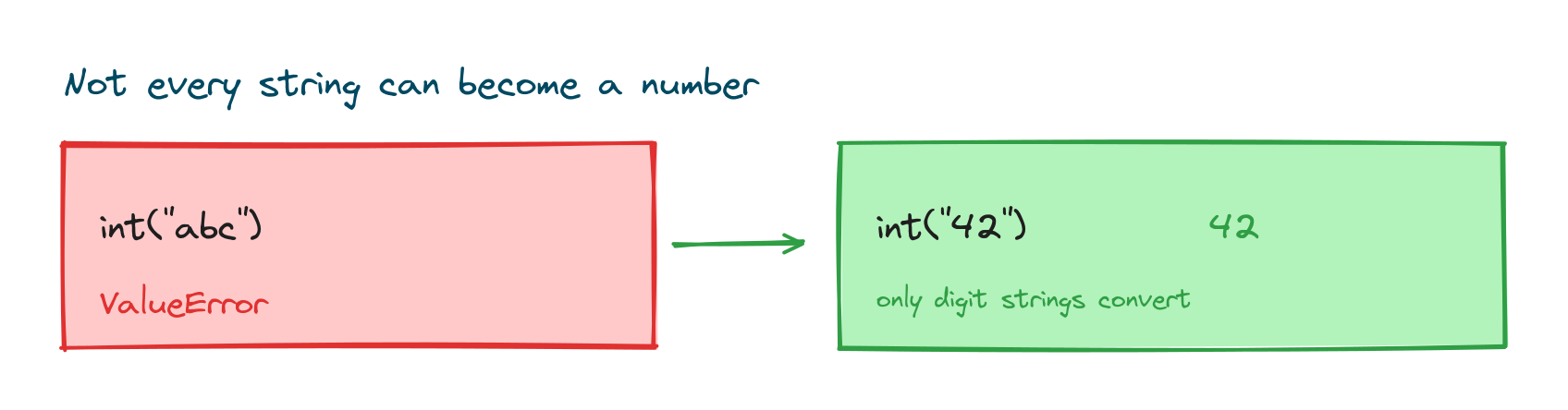
# int("abc")   # ValueError: invalid literal for int() with base 10: 'abc'
text = "42"
if text.isdigit():
    print(int(text) * 2)
# Output: 84
Checking with isdigit() first, or wrapping the call in try and except, keeps your program from crashing on bad input.
Checking the type first
Before converting, you sometimes want to know what you're dealing with. The type() and isinstance() functions tell you a value's current type, which is handy when the source might be a string of Python numbers or actual text.
value = "3.14"
print(type(value))
print(float(value) + 1)
# Output:
# <class 'str'>
# 4.140000000000001
Practice exercises
Run each one and check the output against what you expected.
Text to number
Convert "15" to an integer and add 5.
# Solution
n = int("15")
print(n + 5)
# Output: 20
Number to text
Join a label and a number using str().
# Solution
score = 90
print("Score: " + str(score))
# Output: Score: 90
Truthy or falsy
Print the boolean value of an empty string and a non-empty one.
# Solution
print(bool(""))
print(bool("x"))
# Output:
# False
# True
Common mistakes
- Adding text and numbers.
"Age: " + agefails; convert the number withstr()first. - Converting non-numeric text.
int("ten")raises aValueError; check withisdigit()or handle the error. - Expecting int() to round.
int(7.9)is 7, not 8; useround()to round. - Forgetting input() returns a string. Always convert before doing maths on it.
- int() on a decimal string.
int("3.5")fails; usefloat("3.5")first, thenint()if needed.
Frequently asked questions
How do I convert a string to an integer in Python?
Wrap it in int(), like int("25"). The string has to hold a valid whole number, or you'll get a ValueError.
How do I convert an integer to a string?
Use str(), so str(25) gives "25". You need this to join a number to text with +.
What is the difference between implicit and explicit conversion?
Implicit conversion happens automatically, like promoting an int to a float in mixed arithmetic. Explicit conversion is when you call int() or str() yourself.
Why does int("3.5") give an error?
Because "3.5" isn't a whole-number string. Convert it with float("3.5") first, then apply int() if you want to drop the decimal.
How do I safely convert user input to a number?
Check the text with isdigit() before converting, or wrap the conversion in try and except to catch a ValueError.
What values are falsy in Python?
0, 0.0, False, None, an empty string "", and empty containers all convert to False. Everything else is truthy.
Key takeaways
- Type casting converts a value from one type to another and returns a new value.
- The main functions are
int(),float(),str(), andbool(). - Python does implicit conversion in mixed maths; you do explicit conversion with these functions.
- Convert
input()withint()orfloat()before doing arithmetic. - Converting invalid text raises a
ValueError; guard it withisdigit()or error handling.
Casting is the glue between Python's types, and it makes a lot more sense once you know the types themselves well. A good next step is the lesson on Python data types, where each type