

 By Kaustubh Saini
Before you can write a program that does anything interesting, you have to write lines Python will actually accept. That's what syntax is. It's the set of rules for how the words and symbols go together, and the nice thing about Python is that those rules stay close to plain English. Get a feel for them once and most of your code just reads like instructions.
You don't need to memorize any of this. Read through it, type the examples out yourself, and the rules settle in on their own. We'll start with the smallest pieces of a line and work up to a short program that pulls them together.
What is syntax?
Syntax is the set of rules that decide whether a line of code is valid. Break a rule and Python stops, then shows you a SyntaxError instead of running. It's a lot like grammar. A sentence needs the right structure to make sense, and a line of Python needs the right structure to run.
print("Python syntax is clean")
# Output: Python syntax is clean
The pieces of a statement
A statement is one complete instruction, and it's built from small pieces called tokens. Knowing what they're called helps you read error messages and talk about your code with other people.
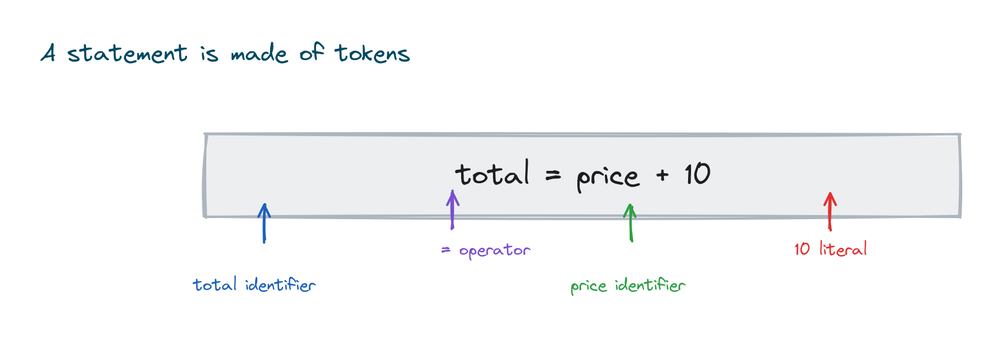
Take the line total = price + 10. Here total and price are identifiers, the names you pick. The = and + are operators, and 10 is a literal, a fixed value typed straight into the code. Words like if and for would be keywords. You'll get to know all of them in the lesson on keywords and identifiers.
Indentation defines blocks
This is the rule people remember Python for. Most languages group code with curly braces. Python uses indentation, the blank space at the start of a line, instead. Whatever you indent under a statement belongs to it.
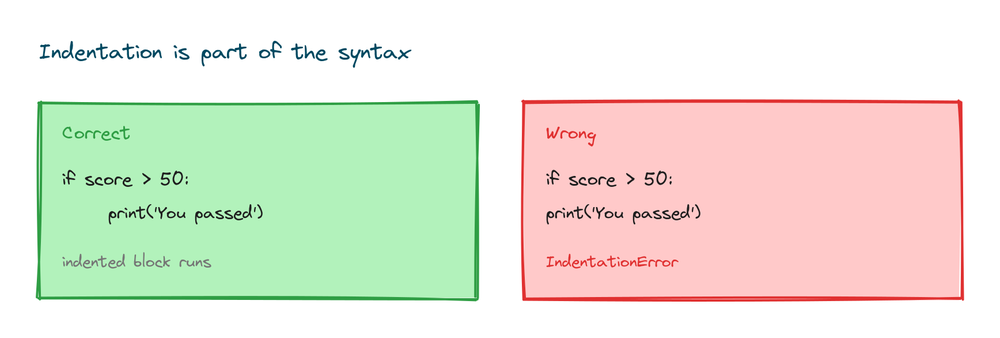
In this example the two indented lines run only when the condition is true, because they sit inside the if:
score = 75

if score > 50:
    print("You passed")
    print("Well done")
print("This always runs")
# Output:
# You passed
# Well done
# This always runs
Indent inconsistently and Python complains. Everything in a block has to line up by the same amount, and the standard is four spaces.
if True:
print("no indent here")
# IndentationError: expected an indented block
Blocks can nest
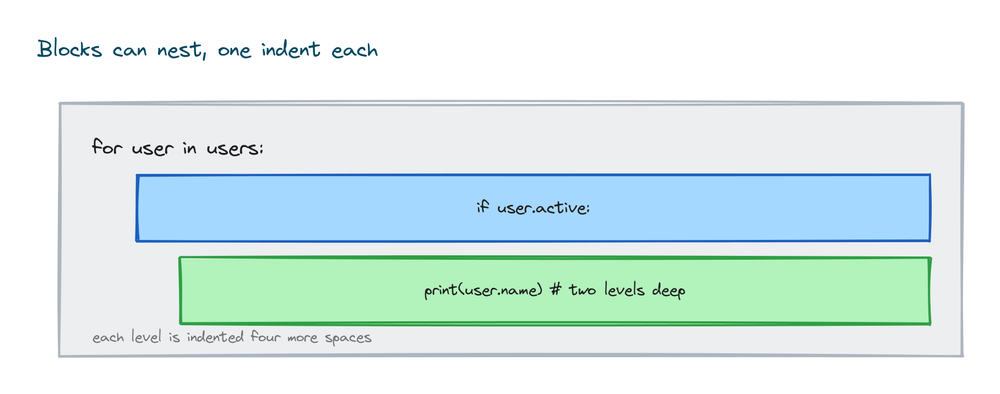
A block can hold another block, and each level moves one step further to the right. That's how you put an if inside a for loop. The handy part is that the indentation alone tells you how deep you are.
numbers = [4, 7, 10, 3]

for n in numbers:
    if n > 5:
        print(n, "is big")
# Output:
# 7 is big
# 10 is big
That print is two levels in, inside the if, which is inside the for. Keep the spacing consistent and the nesting stays easy to follow.
Statements and lines
You usually write one statement per line, and you don't finish it with a semicolon the way some languages do. A line that ends with a colon starts a block, and the lines after it are indented underneath.
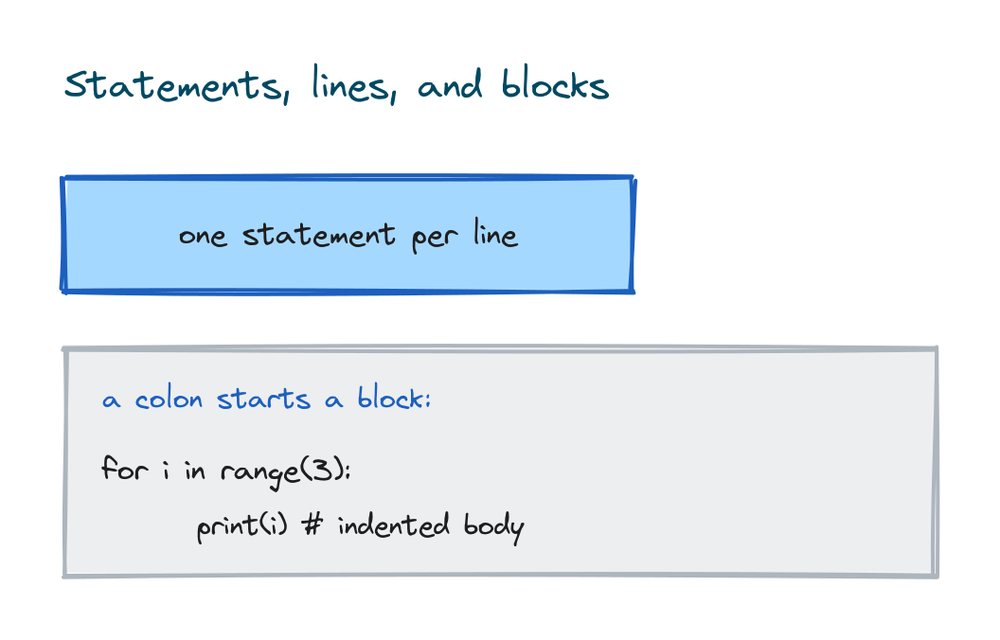
You'll see that colon with if, for, while, functions, and classes:
for number in range(3):
    print("Count:", number)
# Output:
# Count: 0
# Count: 1
# Count: 2
Splitting a long line
Sometimes a line gets too long to read at a glance. Python lets you spread it over a few lines. The clean way is to use brackets, because anything inside ( ), [ ], or { } can wrap freely. A backslash works too, but you'll see it less often.
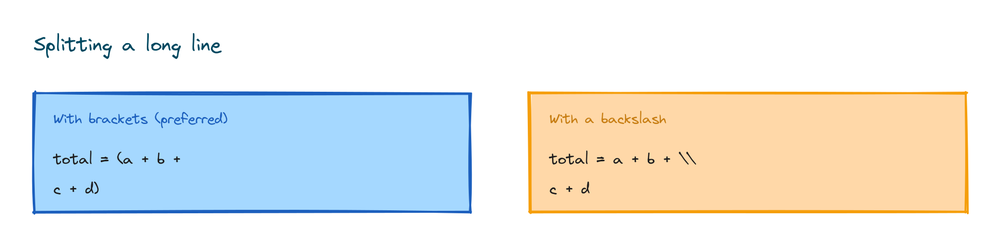
total = (10 + 20 +
         30 + 40)
print(total)
# Output: 100
Python is case sensitive
Capital letters matter. Python treats age, Age, and AGE as three completely different names. This catches a lot of people early on, so keep an eye on your capitals.
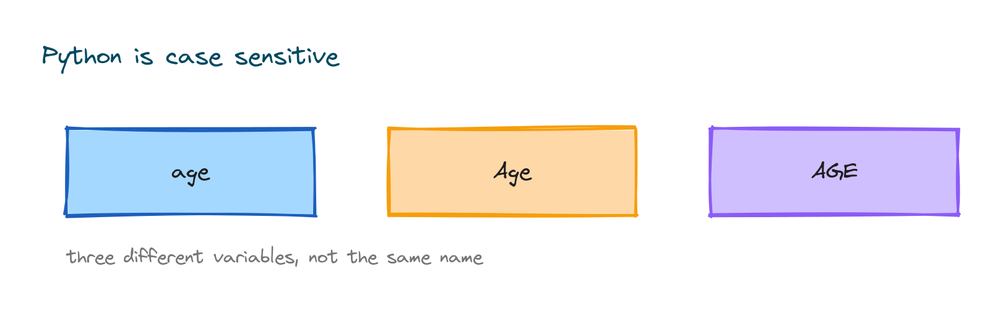
age = 21
Age = 30
print(age)    # Output: 21
print(Age)    # Output: 30
It works the same with built in names. print runs, but Print won't, because the function is spelled in lowercase.
Comments are ignored by Python
Anything after a # on a line is a comment. Python skips it, so you can use comments to explain your code to other people and to yourself later on.
# This line is a note, not code
price = 100   # you can also comment at the end of a line
print(price)  # Output: 100
Comments are worth a closer look on their own, so when you're ready, here's the full guide to Python comments.
Variables need no type
You make a variable just by assigning a value with =. You don't declare a type. Python figures it out from the value, and the same variable can even hold different types at different points in your program.
name = "Sara"     # text
age = 25          # number
is_student = True # boolean
print(name, age, is_student)
# Output: Sara 25 True
Putting it together
Here's a short program that leans on several of these rules at once: tokens, a colon, indentation, a nested block, and case sensitive names.
temperature = 32
humidity = 70

if temperature > 30:
    print("It is hot")
    if humidity > 60:
        print("and humid")
# Output:
# It is hot
# and humid
Practice exercises
Type each one out and run it. Keep half an eye on your indentation and your capitals.
A simple block
Write an if that prints "Even" when a number divides by 2 with no remainder.
# Solution
n = 8
if n % 2 == 0:
    print("Even")
# Output: Even
A loop with a colon
Print the numbers 1, 2, and 3 using a for loop and range.
# Solution
for i in range(1, 4):
    print(i)
# Output:
# 1
# 2
# 3
A nested block
Loop over the numbers 2, 5, 8 and print only the ones greater than 4.
# Solution
for n in [2, 5, 8]:
    if n > 4:
        print(n)
# Output:
# 5
# 8
A case check
Create two variables, City and city, give them different values, and print both to prove they're separate.
# Solution
City = "Delhi"
city = "Mumbai"
print(City, city)
# Output: Delhi Mumbai
Common syntax mistakes
- Wrong indentation. Mixing tabs and spaces, or misaligning lines, causes an
IndentationError. Use four spaces everywhere. - Forgetting the colon. Every
if,for,while,def, andclassline ends with:. - Mixing up capitals.
Printandprintare different, and so are your own variable names. - Adding semicolons. Python doesn't need a
;at the end of a line. Just start a new line. - Unclosed quotes or brackets. Every opening quote and bracket needs a matching closing one.
- Inconsistent indentation depth. All lines in the same block must be indented by the same amount.
Frequently asked questions
Why does Python use indentation instead of braces?
It's a deliberate design choice to keep code readable. The layout shows the structure, so well indented Python is easy to scan and everyone's code ends up looking consistent.
How many spaces should I indent?
Four spaces per level. That's the standard from Python's style guide. Stay consistent, and don't mix tabs and spaces in one file.
Is Python case sensitive?
Yes. age, Age, and AGE are three different names, and built in names like print must be lowercase.
Do I need a semicolon at the end of a line?
No. The end of the line marks the end of a statement. You can put two statements on one line with a semicolon, but that's rarely good style.
What is a statement in Python?
One complete instruction, like assigning a value or calling a function. It's made of tokens such as identifiers, operators, and literals.
What is the difference between a SyntaxError and an IndentationError?
A SyntaxError means a line broke a grammar rule, like a missing colon or quote. An IndentationError is the specific case where your spacing is off. Both stop the program.
Key takeaways
- Syntax is the set of rules that make a line of Python valid.
- A statement is built from tokens: identifiers, operators, literals, and keywords.
- Indentation defines blocks; use four spaces and stay consistent, even when blocks nest.
- Write one statement per line, and end block openers like
ifwith a colon. - Python is case sensitive, needs no semicolons, and ignores anything after a
#.
Indentation is the rule that does the most work here, and it's worth slowing down on. The next lesson, Python indentation, takes it apart properly so the spacing stops tripping you up.