

 By Kaustubh Saini
Open your own code six months from now and you'll often have no idea what you were thinking. Comments are how you fix that. A comment is a plain note you leave in the code, and Python skips right over it when the program runs. It's there for people, not the machine.
There isn't much to learn here, which is good news. Python really has one comment character, the hash. The harder part is taste: knowing what's worth a note and what isn't. We'll cover both.
What is a comment?
A comment is text that Python ignores while it runs your program. You start one with the hash symbol, #, and everything after the # on that line is ignored.
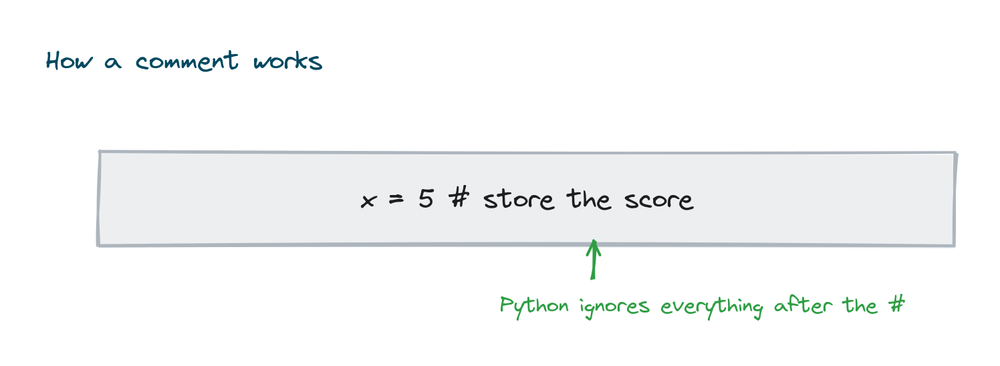
# This whole line is a comment
print("Hello")   # and this part is too
# Output: Hello
The program still printed "Hello". The comments did nothing to how it runs, and they never will. They don't affect your output, and they don't slow anything down.
Single line comments
This is the one you'll reach for most. A single line starting with #, explaining the line or the few lines right below it.
# Work out the total price including tax
price = 100
tax = price * 0.18
total = price + tax
print(total)
# Output: 118.0
Inline comments
You can also tack a comment onto the end of a line of code. That's an inline comment, and it's handy for a quick note about that one line. Leave at least two spaces before the # so it doesn't crowd the code.
counter = 0      # start counting from zero
counter = counter + 1   # add one each time
print(counter)   # Output: 1
Multi line and block comments
Some languages have a special symbol for a multi line comment. Python doesn't. If you want a longer note, you just start each line with its own #. Stack a few of those together and you have what people call a block comment.
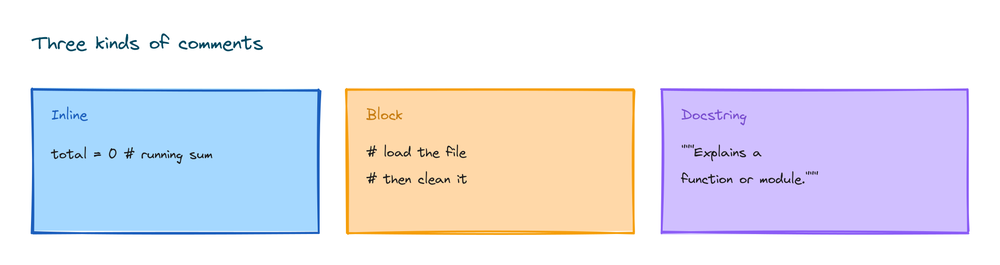
# This program calculates a final score.
# It adds the bonus points to the base score
# and then prints the result.
base = 80
bonus = 15
print(base + bonus)
# Output: 95
Docstrings
There's one more kind of note, the docstring, written with triple quotes. You use it to say what a function, class, or file does, and it sits as the first line inside it. The difference from a # comment is real: a docstring is an actual string that Python keeps and can hand back later.
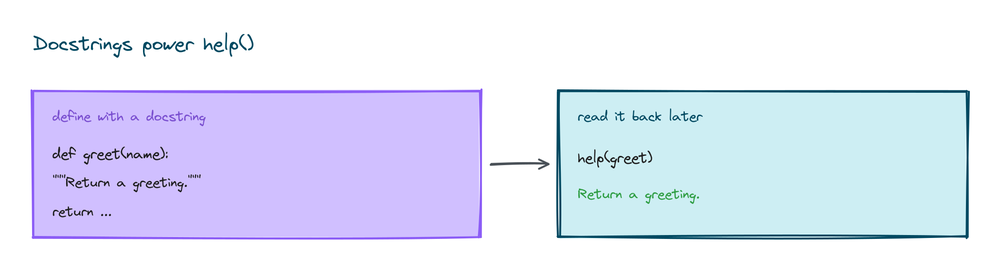
Because Python stores it, the built in help() function can show it to anyone using your code:
def greet(name):
    """Return a friendly greeting for the given name."""
    return "Hello, " + name

print(greet("Aman"))
# Output: Hello, Aman
So the rule of thumb is simple. Use # for everyday notes inside your code. Use a docstring when you want to describe what a whole function or file is for, because editors and tools read it to show help.
Good comments explain why, not what
Here's the habit that separates a useful comment from clutter. A comment that just restates the code is noise. The reader can already see what the line does. What they can't see is why you did it that way, and that's the part worth writing down.
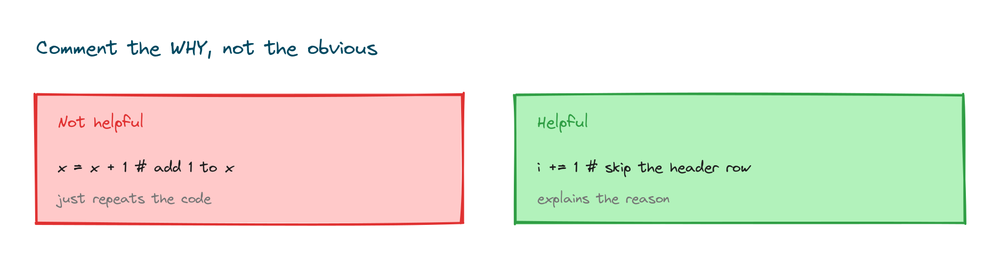
# Not helpful: just repeats the code
x = x + 1   # add 1 to x

# Helpful: explains the reason
retries = retries + 1   # the server sometimes drops the first request
Commenting out code
Comments double as a quick debugging trick. Put a # in front of a line and it stops running, without you having to delete it. People call this "commenting out" a line, and it's a fast way to find which part of a program is causing something.
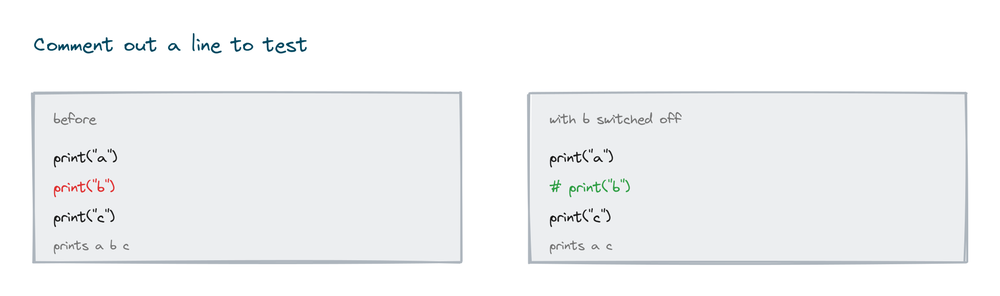
print("This runs")
# print("This line is switched off for now")
print("This runs too")
# Output:
# This runs
# This runs too
You rarely do this by hand. Most editors comment out a whole selection with Ctrl + / (or Cmd + / on a Mac), which saves a lot of typing.
Common comment tags
Programmers often leave tagged notes to mark work for later. They're just ordinary comments, but the tags are a shared convention, and most editors can hunt them down and list them for you. The three you'll see everywhere are:
- TODO for something you still need to add.
- FIXME for something that's broken and needs attention.
- NOTE for context a future reader should know.
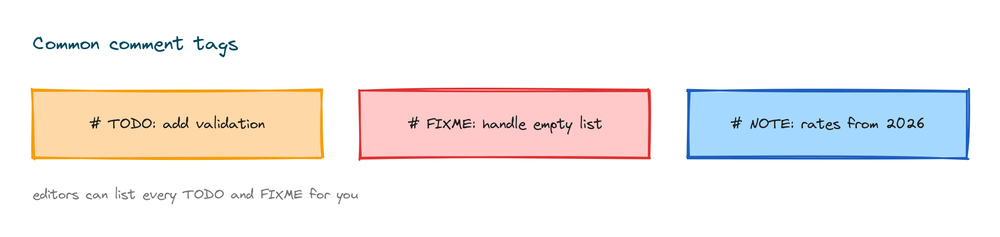
def checkout(cart):
    # TODO: apply discount codes
    # FIXME: handle an empty cart
    # NOTE: tax rate is set for 2026
    return sum(cart)

print(checkout([10, 20]))
# Output: 30
How many comments should you write?
Write clear code first, then comment only the parts that still need explaining. If a line is obvious, leave it alone. If you had to stop and think about why something works, that's exactly where a short note earns its place. Good names help too. The clearer your variable and function names, the fewer comments you need in the first place.
Practice exercises
Try each one. Comments won't change the output, so the goal is just to write clear, honest notes.
Add your own comment
Store your age in a variable and add a comment saying what it is.
# Solution
age = 21   # the user's age in years
print(age)
# Output: 21
Switch a line off
Write two print lines, then comment out the first so only the second runs.
# Solution
# print("I am switched off")
print("I run")
# Output: I run
Write a docstring
Write a function square(n) that returns n times n, with a docstring describing it.
# Solution
def square(n):
    """Return the square of a number."""
    return n * n

print(square(5))
# Output: 25
Leave a TODO
Write a function that returns 0 for now, with a TODO comment saying it still needs the real maths.
# Solution
def total_price():
    # TODO: add up the real items
    return 0

print(total_price())
# Output: 0
Common mistakes with comments
- Comments that repeat the code.
# add 1 to xnext tox = x + 1tells the reader nothing. Explain the why instead. - Out of date comments. Change the code, change the comment. A wrong comment is worse than no comment.
- Too many comments. Clear code needs fewer of them. You don't have to narrate every line.
- Using a bare string as a comment. A loose
"text"on its own line is not skipped the way a#comment is. Use#for notes. - No space after the hash. Write
# like this, with a space, so it reads cleanly.
Frequently asked questions
How do you write a comment in Python?
Put a # in front of your note. Everything after it on that line is ignored. The comment can sit on its own line or at the end of a line of code.
Does Python have multi line comments?
Not as a single symbol. You write one by starting each line with #. People sometimes use a triple quoted string for the same effect, but that's really a docstring.
What is the difference between a comment and a docstring?
A # comment is ignored completely and is just a note. A docstring is a triple quoted string at the top of a function, class, or module that describes it, and help() can read it back as documentation.
Do comments slow down my program?
No. Python ignores them when it runs, so they cost nothing. Use as many as you need to keep things clear.
How do I comment out several lines quickly?
Select them in your editor and press the comment shortcut, usually Ctrl + / (or Cmd + / on a Mac). It adds a # to every selected line at once.
What are TODO and FIXME comments?
They're normal comments with a tag that flags work for later, TODO for something to add and FIXME for something broken. Most editors can search for the tags and list every one in your project.
Key takeaways
- A comment is a note Python ignores, written for humans.
- Single line and inline comments both start with #.
- Python has no multi line comment symbol, so you put a
#on each line. - A docstring uses triple quotes to describe a function, class, or module, and
help()can read it. - Good comments explain why, not what. You can also comment out code to test it, and flag work with TODO and FIXME.
Clear comments keep your code readable as it grows. A big part of needing fewer of them is naming things well, so the natural next step is Python keywords and identifiers.