

 By Shivali Bhadaniya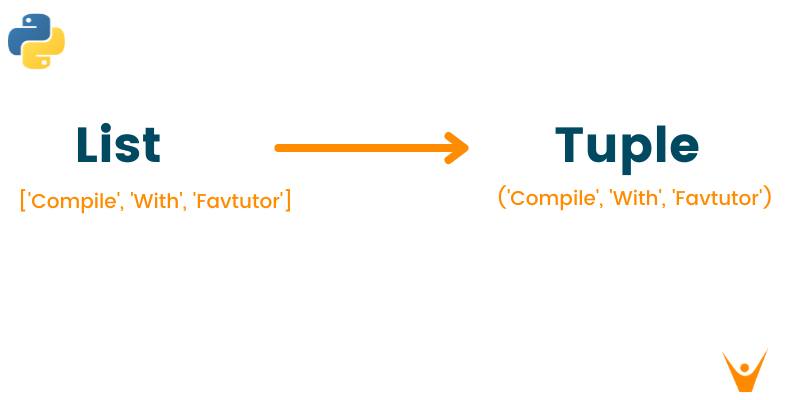
In Python, the standard way to convert a list to a tuple is the built-in tuple() function. Pass it the list, and it returns a tuple with the same items in the same order.
The conversion matters because lists and tuples have different abilities. A list can change after creation, while a tuple cannot, and only the tuple can be used as a dictionary key or stored in a set.
How Do You Convert a List to a Tuple in Python?
Call tuple() with the list as its argument. The original list is not changed; you get a new tuple back:
colors = ["red", "green", "blue"]
t = tuple(colors)

print(t)        # Outputs: ('red', 'green', 'blue')
print(type(t))  # Outputs: <class 'tuple'>
print(colors)   # Outputs: ['red', 'green', 'blue']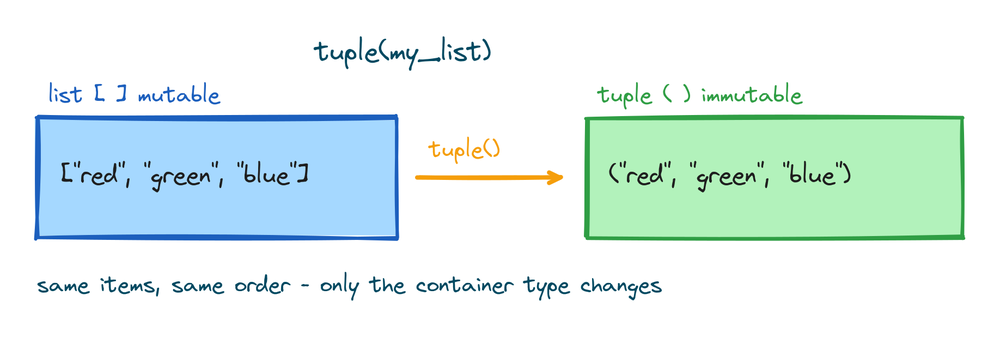
What Is a Tuple in Python?
A tuple is a built-in collection that stores an ordered sequence of values, written in parentheses: ("red", "green", "blue"). It works like a list with one key difference. A tuple is immutable, meaning its items cannot be added, removed, or replaced after creation. That fixed nature is what makes tuples hashable, so they can go where lists cannot: dictionary keys and set items. The Python tuples lesson covers them in full.
3 Ways to Convert a List to a Tuple in Python
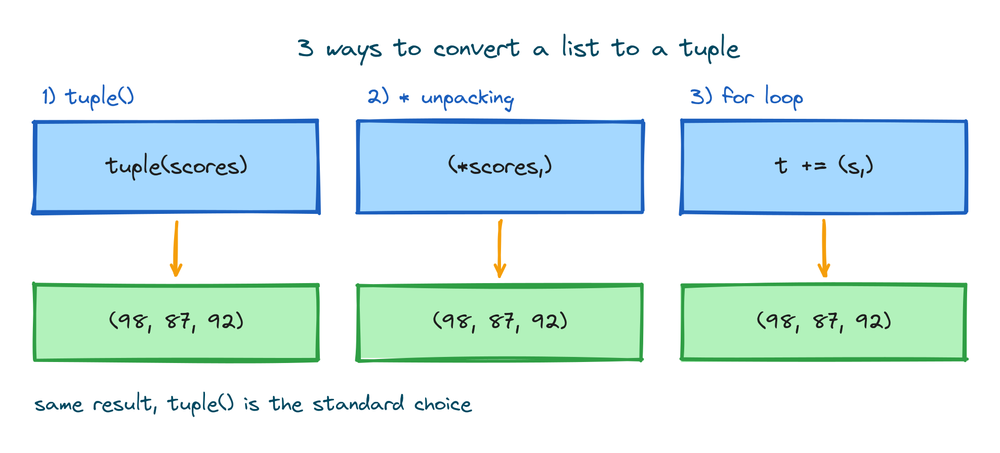
1) The tuple() Function
tuple() accepts any iterable, so it converts lists, and also strings, sets, and ranges. It is the shortest and clearest option:
scores = [98, 87, 92]
print(tuple(scores))  # Outputs: (98, 87, 92)
2) Unpacking With the * Operator
The * operator unpacks the list's items directly into a new tuple. The trailing comma inside the parentheses is required, because (*scores) without it is just a parenthesised expression:
scores = [98, 87, 92]
t = (*scores,)
print(t)  # Outputs: (98, 87, 92)
3) A for Loop
A loop can build the tuple one item at a time by concatenation. Each += creates a brand new tuple, so this is slower than tuple() on long lists, but it shows how immutability works:
scores = [98, 87, 92]
t = ()
for s in scores:
    t += (s,)
print(t)  # Outputs: (98, 87, 92)
Converting an Array to a Tuple
The same tuple() call works on arrays from Python's array module, since they are iterables too:
from array import array

prices = array("i", [120, 250, 99])
print(tuple(prices))  # Outputs: (120, 250, 99)
For a NumPy array, convert through a list first with tuple(arr.tolist()), which turns NumPy's numeric types back into plain Python numbers along the way.
When to Convert a List to a Tuple
The most common reason is using the data as a dictionary key. A list raises an error there, because dictionary keys must be hashable and lists can change:
stops = {[28.61, 77.21]: "Delhi"}
# TypeError: unhashable type: 'list'
Converting the key to a tuple fixes it:
stops = {(28.61, 77.21): "Delhi", (19.08, 72.88): "Mumbai"}
print(stops[(28.61, 77.21)])  # Outputs: Delhi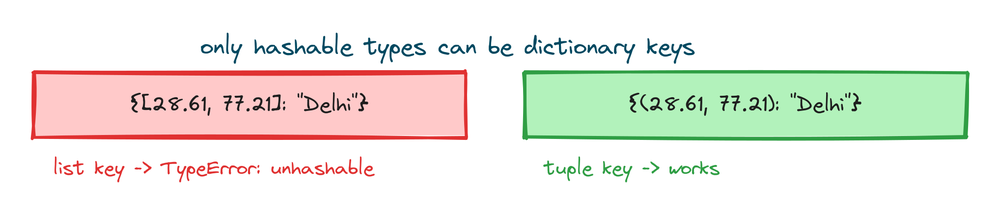
The same rule applies to sets: a tuple can be a set item, a list cannot. Tuples are also a signal to other programmers that the data is fixed, such as coordinates, RGB values, or configuration constants.
Examples of Converting a List to a Tuple
1) Freezing a Record Before Sharing It
Converting a list to a tuple protects it from accidental edits by code that receives it:
reading = ["2026-07-18", 32.5, "delhi"]
frozen = tuple(reading)

frozen[1] = 30.0
# TypeError: 'tuple' object does not support item assignment
2) Converting Nested Lists
tuple() only converts the outer layer, so inner lists stay lists. A generator expression converts each inner list as well:
rows = [[28.61, 77.21], [19.08, 72.88]]

print(tuple(rows))
# Outputs: ([28.61, 77.21], [19.08, 72.88])

print(tuple(tuple(r) for r in rows))
# Outputs: ((28.61, 77.21), (19.08, 72.88))
Learn More About List to Tuple Conversion
Converting a Tuple Back to a List
The list() function reverses the conversion. A common pattern is tuple to list, edit, then back to tuple:
point = (28.61, 77.21)
editable = list(point)
editable[0] = 28.7
print(tuple(editable))  # Outputs: (28.7, 77.21)
Tuples vs Lists
A list suits data that grows and changes, like a to-do list. A tuple suits data with a fixed shape and meaning, like a coordinate pair. Tuples also use slightly less memory and can be created faster, though for small data the difference is not noticeable. The tuple vs list comparison covers the differences in detail.
Key Takeaways for List to Tuple Conversion
- Use
tuple()- One call converts any list, or any other iterable, into a tuple. - Two alternatives exist - Unpacking with
(*lst,)and a concatenation loop produce the same result. - The original list survives - Conversion returns a new object and leaves the list unchanged.
- The main reason is hashability - Only tuples can be dictionary keys or set items; lists raise
TypeError. - Nested lists need their own pass - Use
tuple(tuple(r) for r in rows)to convert inner lists too. - The reverse is
list()- Convert back when you need to edit the data.
Converting between collection types is routine in Python, and each target type adds its own behavior. Converting a list to a set works the same way and removes duplicates in the process.