Writing your own scraper feels easy right up until the day it stops working. The selectors still match, the code has not changed, and yet every request comes back as a 403. Somewhere on the other side, a bot detection system decided your browser looked wrong, and now you are spending your Thursday reading about TLS fingerprints instead of shipping.
That is the job a web scraping API takes off your hands. You send it a URL, it deals with the proxies, the browser and the bot blockers, and it sends you back the page.
Choosing one is the hard part, because what vendors claim and what actually happens can be very different. Independent testing found success rates running from 87% at the top all the way down to 34% at the bottom. Prices move too, depending on whether a page needs a real browser, what kind of proxy it goes through, and how well defended the site is. The cheapest number on a rate card is rarely the number you will pay.
So we are going to draw a hard line that most listicles in this space ignore. A scraping API has two jobs, getting through and being affordable, and almost no vendor is excellent at both. We will tell you which one each API is good at, and we will show you the arithmetic instead of asking you to trust us.
Source: Proxyway Web Scraping API Report 2025, published December 2025 from testing run in October 2025. Cost figure calculated from ScraperAPI's published credit table. Full citations at the end.
Six words that decide your bill
- Credit
- The unit many vendors bill in. One easy page is usually one credit, and a hard page can be 75. Others, String and Bright Data among them, bill per request instead. Either way, this is where surprise bills come from.
- Rendering
- Running the page in a real browser so JavaScript loads the content. Costs more, and many modern sites need it.
- Residential proxy
- A request sent through a real home internet connection instead of a data center, so the site sees an ordinary visitor. Also costs more.
- Anti-bot system
- The software guarding the site: Cloudflare, DataDome, Akamai, PerimeterX, Kasada. Each behaves differently, and vendors do not perform equally against all of them.
- Fingerprint
- The tell-tale details a browser gives away about itself. Automated browsers leak these, which is how sites spot you even on a clean IP address.
- Concurrency
- How many requests you send at the same time. Push it up and success rates often fall, which is the single most common nasty surprise in this category.
The quick verdict
If you want the short version, here is where we landed.
The quick verdict
- Best overall for most teamsString. It cleared all 15 checks in our pilot including three tries at a bot-protected page, charged the premium rate on only three of them, and bills nothing for a request that comes back blocked.
- Best for transparent pricingContext.dev. One credit covers any page, hard ones included, so the bill reads the same whether a scrape sails through or fights bot protection. It also passed all 15 checks in our pilot.
- Best value in the large benchmarkDecodo. It reached 87.09% in Proxyway's test while keeping its hardest published request type at $1.20 per 1,000 on the $99 plan.
- Best for scale and ready-made dataBright Data. 100+ prebuilt scrapers, a 900 site dataset marketplace, and the legal muscle to keep it running.
- Best free tierZenRows. 5,000 credits every month, no card, no expiry date.
- Best for AI and LLM pipelinesFirecrawl. It returned clean markdown and passed all 15 checks in our pilot, and it was the fastest API we tested.
- Best if you would rather not codeApify. Around 71,000 ready-made scrapers. Yours is probably already built.
- Most important buying ruleTest your own URLs. Firecrawl passed our three G2 checks but ranked last in Proxyway's broader protected-site test. ScraperAPI showed the reverse pattern. A single overall score can hide the domain you care about.
What we cover
- The quick verdict
- How we researched and ranked
- Quick comparison table
- The 13 best APIs
- Context.dev
- String
- Decodo
- Bright Data
- Oxylabs
- ScrapingBee
- ScraperAPI
- Scrape.do
- ZenRows
- Scrapfly
- Apify
- Firecrawl
- Crawlbase
- Other tools worth knowing
- How pricing actually works
- What a million pages costs
- The hardest websites
- Should you build your own
- Is scraping legal in 2026
- How to choose
- Frequently asked questions
- Sources
How we researched and ranked these APIs
We used two layers of evidence. First, we opened accounts and ran the same small hands-on pilot across every service we could activate. Second, we used Proxyway's much larger protected-site benchmark for broader coverage. We keep the two separate on purpose. Our pilot shows what each API does on a fixed set of targets today. The benchmark shows how they hold up across 15 protected sites at scale.
Four things decided the order, and they are listed here from most important to least: whether the API returns the content you asked for, whether that result holds up in a much larger test, what a working page really costs once the surcharges are added, and how honest the vendor is about its own limits.
1. Does it return the content we asked for? In our pilot, each provider received three sequential requests to the same five URLs: a control page, a product page, a JavaScript page, a FavTutor article and a protected G2 review page. A request passed only when the response contained page-specific text. An HTTP 200 alone did not count.
That distinction matters more than it sounds. In the September 2026 Web Data Frontier Benchmark, 443 of 8,000 requests came back with a success status but not the page that was asked for, which is 16.6% of every failure in that run. Count status codes alone and a wall of blocks reads as a wall of wins.
How the pilot worked
The pilot checked one thing: does the API hand back the page you asked for? We sent one request at a time from the same machine, with nothing running in parallel, using each provider's own documented automatic, rendered or protected mode. The five public targets covered static HTML, a product detail page, client-rendered JavaScript, a live editorial article and a bot-protected review page. Each target had fixed text markers, such as its title, product code or visible review-page labels. We recorded HTTP status, end-to-end time, returned-content length, marker matches, block-page signals and any credit headers. A response passed only when every expected marker appeared and no block signal appeared.
2. Does the result survive a larger test? We used Proxyway's Web Scraping API Report, which tested 11 APIs against 15 protected websites at around 6,000 URLs each and at two request rates. We pulled the underlying chart data so we could inspect both the overall and per-site results.
3. What does it really cost, not what does it advertise? We read every pricing page on 20 September 2026 and converted credits into a cost per 1,000 pages. During the pilot we also recorded the cost headers returned by the APIs. Those headers exposed a large gap: the same test request cost one credit on Context.dev and Firecrawl, 25 on Scrape.do with browser rendering and residential routing, and 45 on Scrapfly for G2.
4. How honest is it about its own limits? We flag billing rules, rate limits and account discrepancies, then compare them with independent ratings, GitHub issues and developer discussions. A four-review rating is labeled as a small sample instead of treated as proof.
What happened in our 195-request pilot
| Provider | Content checks passed | Median time | Protected G2 | Credits reported |
|---|---|---|---|---|
| Context.dev | 15/15 | 3.29s | 3/3 | 15 |
| String | 15/15 | 1.68s | 3/3 | 3 of 15 premium |
| Decodo | 14/15 | 11.09s | 3/3 | Not exposed |
| Bright Data | 0/15* | 0.79s | 0/3 | Not exposed |
| Oxylabs | 15/15 | 10.32s | 3/3 | Not exposed |
| ScrapingBee | 12/15 | 2.61s | 0/3 | 375 |
| ScraperAPI | 12/15 | 9.16s | 0/3 | 150 |
| Scrape.do | 15/15 | 2.45s | 3/3 | 375 |
| ZenRows | 7/15 | 2.06s* | 2/3 | 55 |
| Scrapfly | 15/15 | 11.22s | 3/3 | 207 |
| Apify | 6/15 | 11.22s | 0/3 | Not exposed |
| Firecrawl | 15/15 | 1.54s | 3/3 | 15 |
| Crawlbase | 12/15 | 3.99s | 0/3 | Not exposed |
Run on 20 September 2026 from one machine, three sequential passes per URL. Times are end-to-end medians across all attempts, including fast errors. We completed 195 requests across 13 APIs. String was added on 24 October 2026 and run the same way. Bright Data issued a key, but the new account was suspended until it was funded and all 15 calls returned HTTP 401. ZenRows refused the two public sandbox domains outright, which is why its median time carries an asterisk: most of its attempts were fast policy refusals rather than finished scrapes. ScraperAPI returned HTTP 500 on all three G2 attempts. We used each provider's own automatic or protected mode rather than forcing very different products into identical settings.
The useful part of this table is the disagreement, not the leaderboard. Firecrawl handled G2 for us even though it finished last in Proxyway's much broader test. ScraperAPI failed G2 for us even though it was nearly perfect on that same site in Proxyway's October 2025 run. Bot defenses change, and so do the routes and default settings each vendor uses. Use a big benchmark to build a shortlist, then test the exact domains and settings you plan to run.
Who owns the benchmarks you are reading?
This is worth knowing before you read anyone's rankings.
A site called Scrapeway markets itself as an independent benchmark with no sponsors and no affiliate links. Its domain traces to Joam Intelligence LLC, the company behind Scrapfly, and Scrapfly ranks first in its results.
You do not have to take that on trust. The SCRAPFLY trademark is registered to Joam Intelligence LLC, and Scrapfly's own About page describes itself as a Joam Intelligence product. There is no disclosure anywhere on the benchmark. This was documented in October 2026 by an agency that sells data collection services but is not in the ranking itself.
A second site, ScrapingTest, calls itself an independent web scraping benchmark and ranks Scrape.do first. It has been reported as registered to Scrape.do's founder, but that registration is no longer publicly visible, so treat it as reported rather than confirmed.
String's Web Data Frontier Benchmark is also vendor-run and also ranks its owner first, but it is a different kind of object: the harness is open source, rival vendors have submitted code to fix their own adapters and had it merged, and String publishes the sites where it fails too. You can disagree with a benchmark you are able to run yourself.
Proxyway is the exception we trust enough to build on. It does carry affiliate links, which is a real conflict and we are telling you about it. But it runs its own tests against its own targets and it publishes results that make companies it earns money from look bad. That is the opposite of what a paid ranking does.
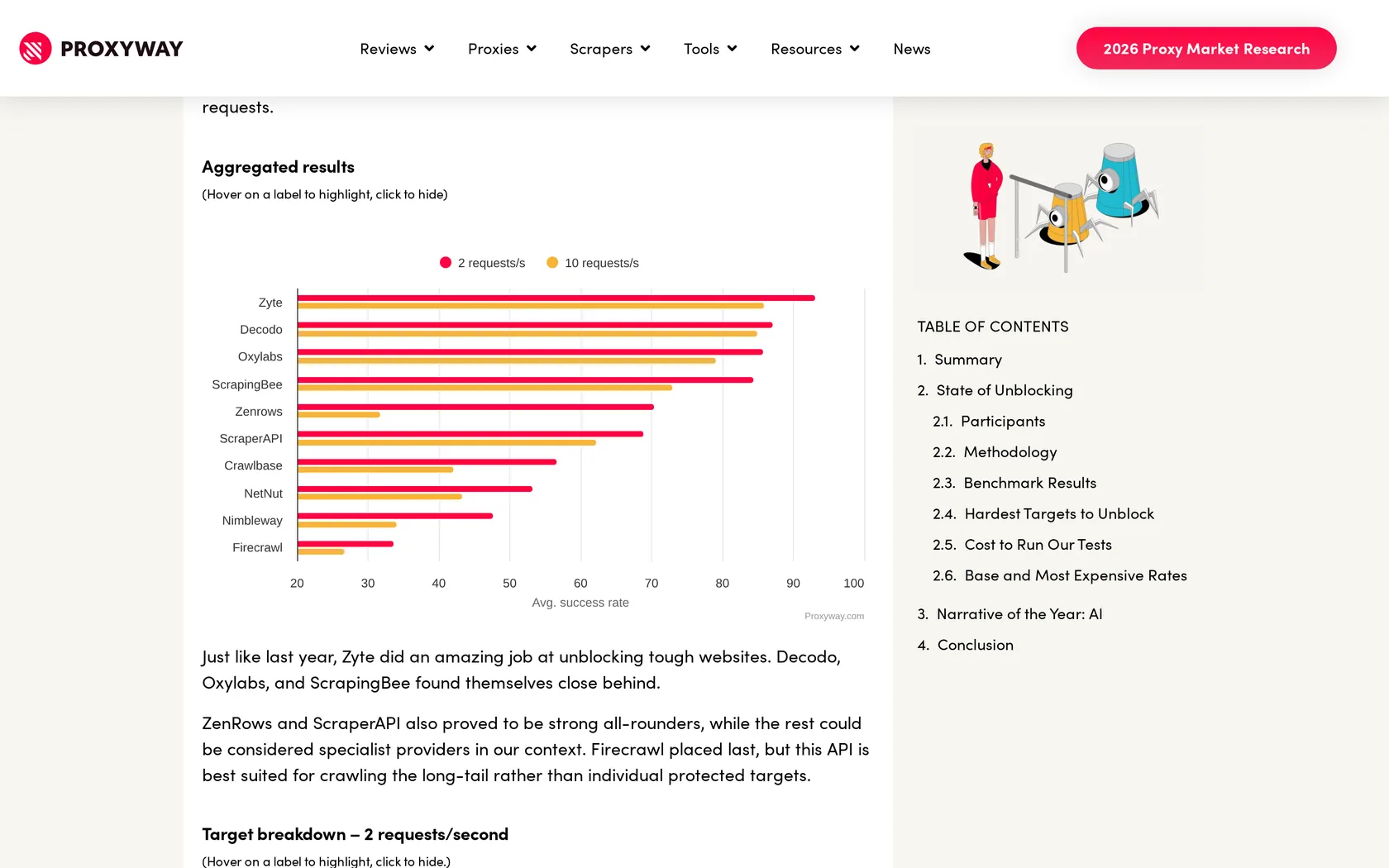
| Provider | Success 2 req/s | Success 10 req/s | Avg response | Cost per 1,000 at $500 |
|---|---|---|---|---|
| Decodo | 87.09% highest here | 85.03% | 15.22s | $0.77 flat |
| Oxylabs | 85.82% | 79.10% | 16.76s | $0.37 to $1.15 |
| ScrapingBee | 84.47% | 72.98% | 25.46s slowest | $0.08 to $6.23 |
| ZenRows | 70.39% | 31.76% | 19.10s | $0.08 to $2.08 |
| ScraperAPI | 68.95% | 62.20% | 13.92s | $0.10 to $7.13 |
| Crawlbase | 56.72% | 42.17% | 23.94s | $0.53 to $2.50 |
| NetNut | 53.28% | 43.37% | 18.55s | $1.20 flat |
| Nimbleway | 47.72% | 34.12% | 21.10s | $2.80 flat |
| Firecrawl | 33.69% last | 26.69% | 7.92s fastest | $0.80 to $4.00 |
Proxyway tested 11 APIs in total. The nine above are the ones that also appear in this guide.
Only three of those nine providers cleared 80%.
Now look at the response time column. Firecrawl was the fastest API in Proxyway's test and also the least successful one. Fast and good are not the same thing. In our own pilot Firecrawl was both the quickest and successful on all five URLs, so read the speed column next to the success column rather than on its own.
The 10 requests per second column is the one nearly every comparison leaves out. Decodo barely moves. ZenRows falls from 70.39% to 31.76%. If you plan to run several workers at once, that right-hand column is the number you will actually live with.
Two things to check before you shortlist
These results come from October 2025 testing, and positions move as bot blockers update. More importantly, an average across 15 sites tells you nothing about your site. A provider near the top overall can score a flat zero on the one domain you care about, and further down we show exactly that happening. Run a short pilot before you sign anything annual.
Quick comparison table
| API | Best for | Starting price | Plain page / 1k | Protected page / 1k | Free option | User rating |
|---|---|---|---|---|---|---|
| Context.dev | Predictable scraping | $25/mo | $0.50 to $2.50 | $0.50 to $2.50 | 500/mo advertised* | PH 4.9* |
| String | Hardest pages, transparent billing | $19/mo | $0.11 to $0.25 | $0.45 to $2.40 | ~20k, one off | None yet |
| Decodo | Value for money | $19/mo | $0.14 | $1.20 | Free plan | G2 4.6 |
| Bright Data | Scale and datasets | PAYG | $1.30 to $1.50 | $1.30 to $1.50 | 5,000/mo | G2 4.7 |
| Oxylabs | Enterprise | $49/mo | $0.40 to $1.15 | $1.25 to $1.35 | 2,000 results | G2 4.5 |
| ScrapingBee | Developer experience | $19/mo | $0.083 | $2.08 to $6.23 | 1,000 credits | G2 4.8* |
| ScraperAPI | Getting started fast | $49/mo | $0.10 | $2.49 to $7.48 | 5,000 credits | TP 4.5 |
| Scrape.do | Lowest price at volume | $29/mo | $0.06 to $0.07 | $1.75 | 1,000/mo | TP 4.8 |
| ZenRows | Free tier | $19/mo | $0.08 to $0.28 | $2.75 to $6.90 | 5,000/mo | G2 5.0* |
| Scrapfly | Compliance | $30/mo | $0.09 to $0.15 | $2.70 to $4.50 | 1,000 credits | Capterra 4.9 |
| Apify | No-code scrapers | $19/mo | Compute based, $0.13 to $0.20 per unit | $5/mo usage | G2 4.7 | |
| Firecrawl | LLM pipelines | $16/mo | $0.60 to $0.83 | 1 credit, mixed success | 1,000/mo | Too few* |
| Crawlbase | Pay as you go | PAYG | $0.15 to $0.76 | ~$3 to $14 | up to 5,000 | G2 4.3* |
Prices verified 20 September 2026, and 24 October 2026 for String, and may change. Context.dev's public page advertised 500 free monthly credits while the new personal-email dashboard we opened showed 250; check the balance shown to your account. Ratings marked with an asterisk come from a small review sample. PH is Product Hunt, TP is Trustpilot.
The 13 best web scraping APIs in 2026
1. Context.dev
Product Hunt: 4.9 from 16 reviews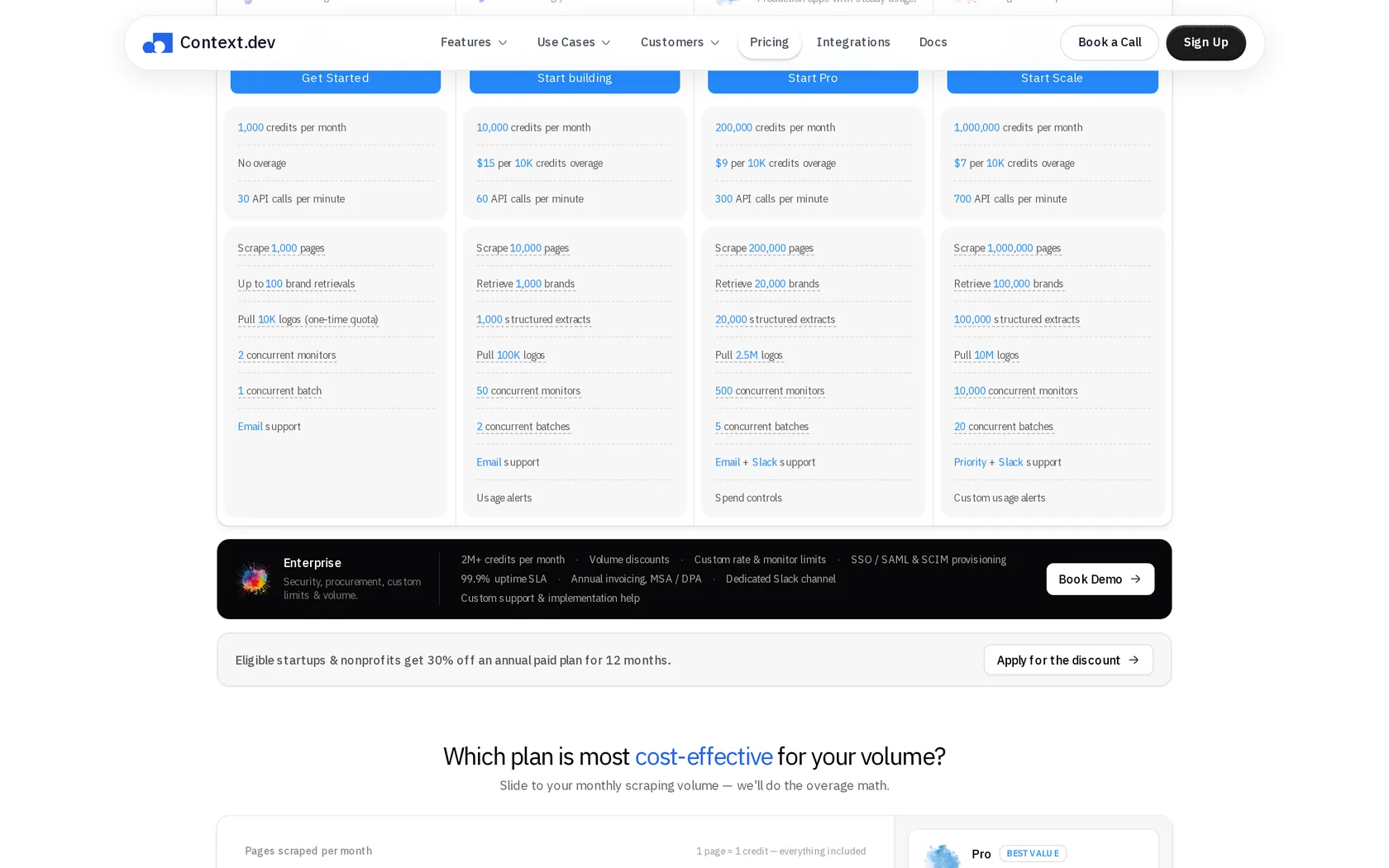
Context.dev makes pricing unusually easy to understand. An ordinary page costs one credit, and that price does not go up when the page needs a real browser, a premium proxy or bot-protection handling. Almost every other vendor charges you more for all three.
The flat price covers scraping, not the whole product. Other features do cost more: a browser action is two credits, image enrichment is five, and structured extraction is ten. Those are clearly listed rather than buried.
That matters because most rivals charge far more for a hard page than an easy one. ScraperAPI and ScrapingBee both climb to 75 credits at the top tier, and ZenRows to 25. Context.dev stays at one either way.
In money, at each vendor's published rates, 1,000 hard pages cost $0.50 through Context.dev and $7.48 through ScraperAPI. Those are prices per thousand pages, not per page.
It held up in our own test too. Every request came back with the page we asked for, including three tries at the bot-protected G2 page. Each scrape cost one credit, exactly as advertised. That was the cleanest run of any API we tested.
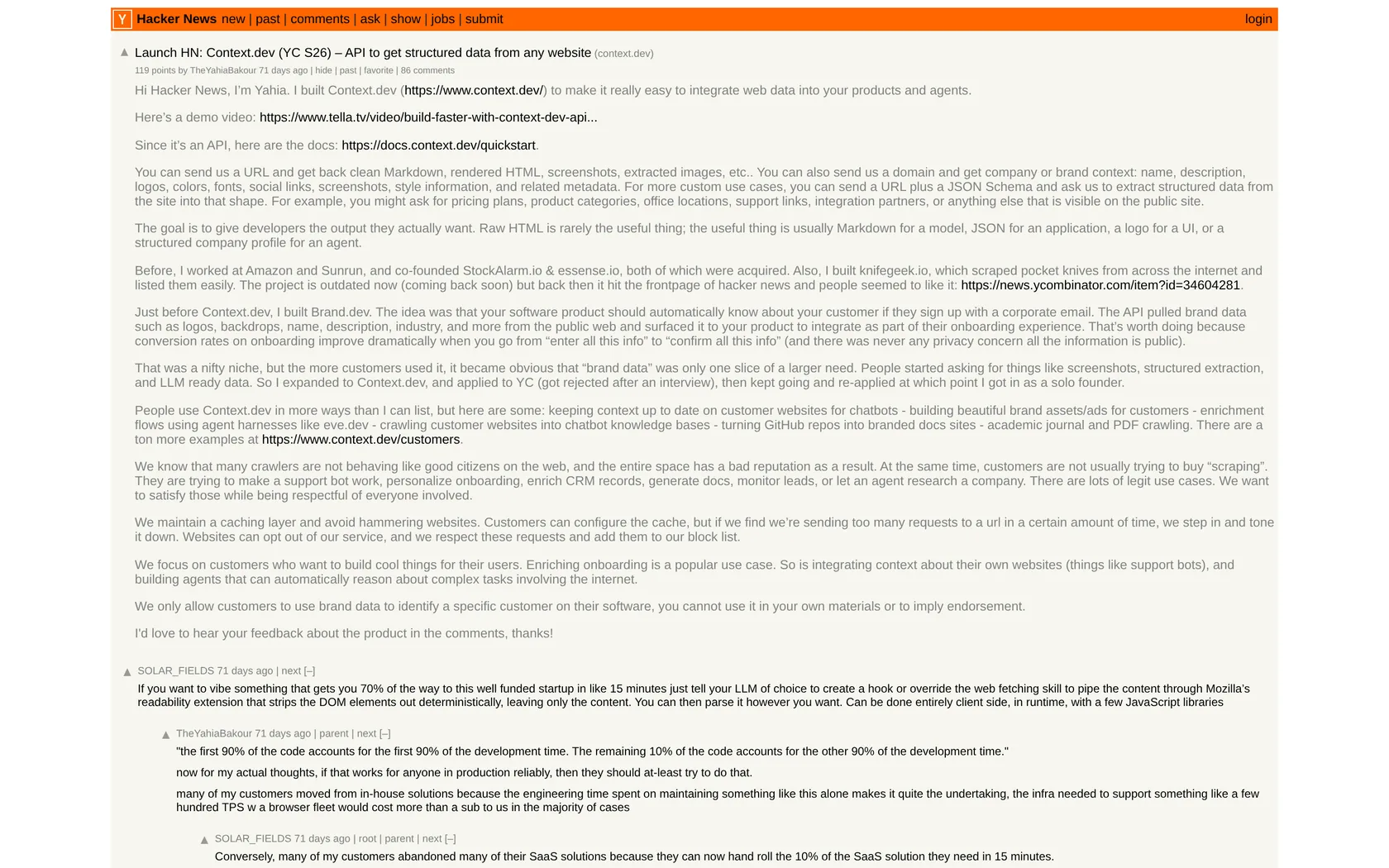
The endpoint list is wider than most. All of these share the same credit pool:
- Scrape a page to markdown or HTML
- Crawl a whole site, or pull its sitemap
- Take screenshots
- Run a web search
- Pull YouTube transcripts
- Read PDFs and Office files
- Extract structured data, by handing it a JSON schema
- Ask a research question, and get an answer back with its sources
It also has one feature no pure scraping API offers. Give it a company domain and it returns that company's logo, brand colors, fonts, description and industry. That is what this team built first, back when it was called Brand.dev.
One call does the whole job. You send a URL and get the page back as clean markdown, with the proxy, the browser and the bot handling already taken care of:
curl https://api.context.dev/web/scrape \
  -H "Authorization: Bearer YOUR_KEY" \
  -H "Content-Type: application/json" \
-d '{"url": "https://example.com", "format": "markdown"}'What we liked
- A bill you can forecast to the dollar
- Passed all 15 content checks in our small pilot
- Wide endpoint set sharing one credit pool
- Brand and company data no rival offers
- Hosted MCP server, so an AI coding agent can fetch pages directly
Where it falls short
- No independent benchmark score exists yet
- Small team, founded 2025
- No self-hosted version
- Cannot scrape behind logins
- Subscription only, no pay as you go
2. String
No platform rating yet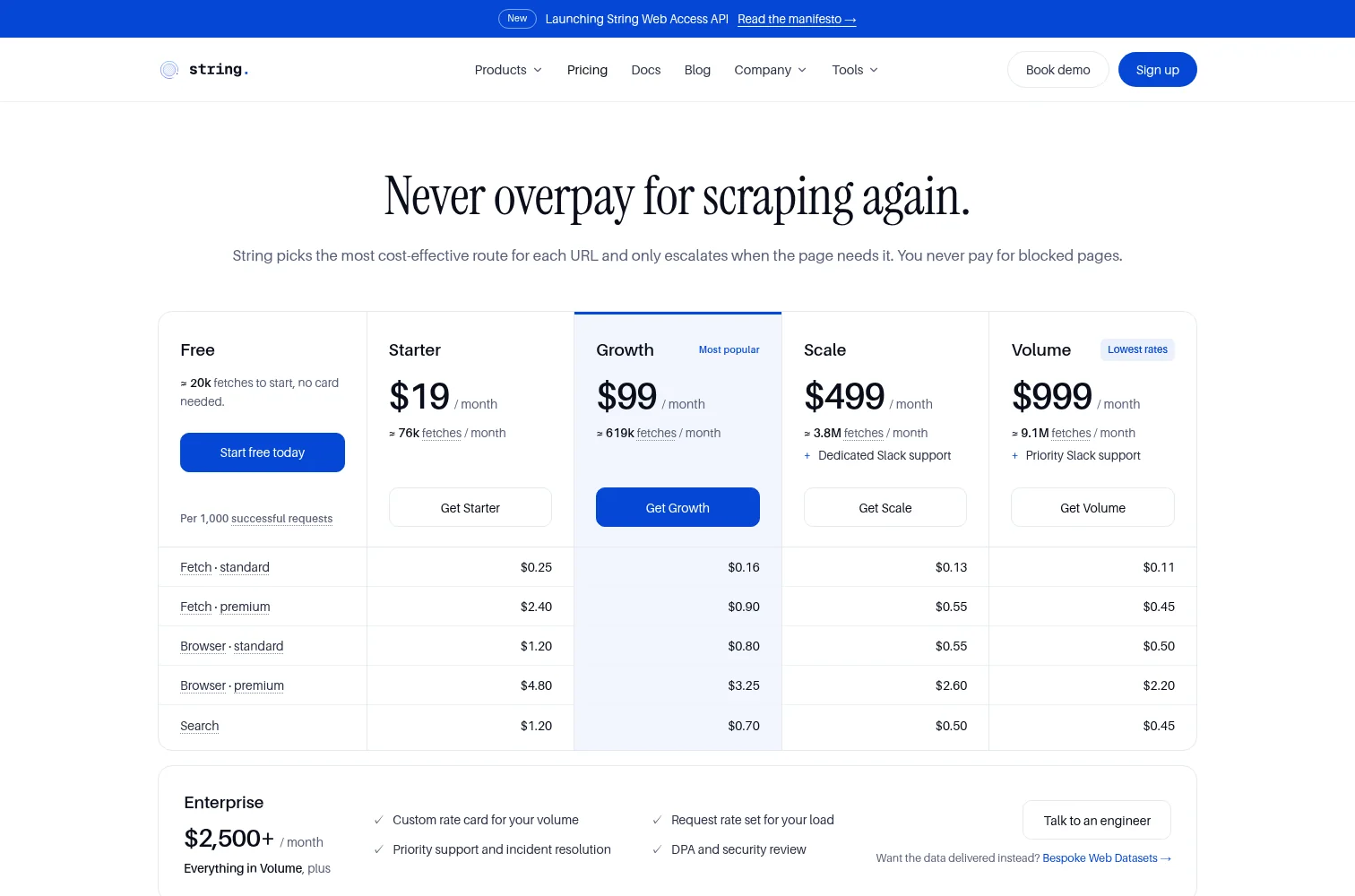
String takes the narrowest approach in this guide. You send it a URL and it decides for you whether that page needs a plain HTTP request, a real browser, or a premium proxy. There is no tier to pick and no credit table to read. In our pilot that produced the best balance of the three things that normally trade off against each other: getting the page, getting it quickly, and not overpaying for it.
Run on 24 October 2026, a month after the other twelve, against the same five target types and the same three-passes-per-URL method.
Every request came back with the page we asked for, including all three tries at the bot-protected G2 review page. That alone does not set it apart: six of the thirteen APIs cleared all 15 checks and all three G2 attempts. What separates them is what the sweep cost and how long it took.
At a 1.68 second median String was second only to Firecrawl's 1.54 seconds, and Firecrawl is the API that finished last in the independent benchmark. Of the other clean sweeps, Scrape.do was close on speed but charged the top rate for every page, and Oxylabs and Scrapfly took roughly six times longer. String is the only one of the six that was fast, complete and careful with cost at the same time.
The billing mix is the more interesting number. Of the 15 requests, nine were charged as a plain fetch, three as a browser render for the JavaScript page, and three at the premium proxy rate for G2. It reached for the expensive option only on the pages that needed it. Compare that with Scrape.do, which charged the top rate for all 15 pages, including the simple control page, because the strongest settings were switched on for everything.
Two things about the pricing are unusual:
- A blocked request costs nothing. You are billed when the site answers, whatever status it sends, so a 404 is billed but a block is not. Failures are free rather than charged at the hardest rate.
- Concurrency is not the thing that limits you. Every plan allows 10,000 fetches in parallel, against 500 at the top of ScraperAPI's range. What changes by plan is the request rate: 15 a second on Starter, 90 or more on Volume. In a category where the independent benchmark shows several providers collapsing between 2 and 10 requests a second, that is worth testing against your own workload.
The caveat is track record. String publishes the Web Data Frontier Benchmark, an open test of 16 web scraping APIs on 100 bot-protected sites. It ranked first in the September 2026 run, returning the real page on 97.0% of requests. The harness, the site list and every provider's adapter are public on GitHub, and rival vendors have opened pull requests there and had them merged, including a fix to Firecrawl's adapter and an adapter contributed for Scrape.do. It is still a vendor's own benchmark, and String has not appeared in an independent round yet.
That is also why it sits second rather than first. Context.dev matched the clean sweep and edges it in two places: one credit covers any page including the hard ones, which is simpler still than String's four rates, and it has at least some public user feedback where String has none. On raw pilot numbers String is the stronger of the two. On everything a buyer can check independently, neither has much yet, and Context.dev has slightly more.
What we liked
- 15 of 15 in our pilot, including all three tries at the protected G2 page
- Second-fastest median of any API we tested
- Escalated to premium billing only on the pages that needed it
- Blocked requests cost nothing
- 10,000 parallel fetches on every plan, against 500 at ScraperAPI's top tier
Where it falls short
- Ranks itself first in its own benchmark, and has not appeared in an independent one
- Launched in 2026, with no G2, Trustpilot or Capterra reviews yet
- Browser plus premium proxy is $4.80 per 1,000 on the entry plan
- Some destinations need approval or KYC before you can fetch them
3. Decodo
G2: 4.6 from 733 reviews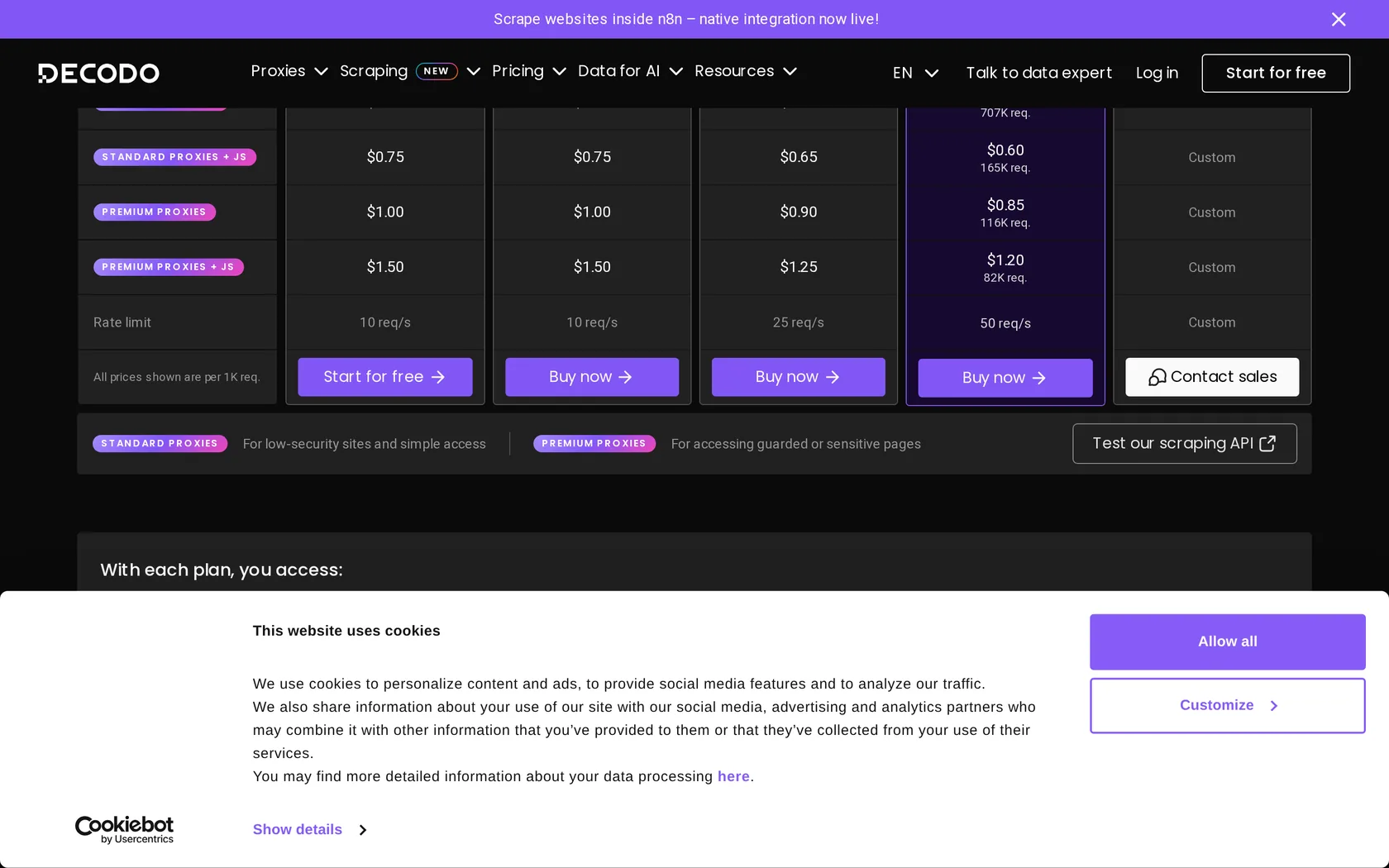
Decodo is the company you knew as Smartproxy until April 2025, when it rebranded. Subscriptions and pricing carried over unchanged, so an old bookmark still works. On price against performance it is the strongest entry in this guide. It scored 87.09% in independent testing, a point ahead of Oxylabs, at a price that undercuts almost everyone in the category.
What makes it easy to budget is that Decodo has no surcharges at all. It publishes four request types and charges a flat rate for each. On the $99 plan:
| Request type | Cost per 1,000 |
|---|---|
| Standard | $0.14 |
| With rendering | $0.60 |
| Premium proxy | $0.85 |
| Premium proxy plus rendering | $1.20 |
That last row is the most expensive request you can possibly send, and it still costs less than half what most rivals charge for the same thing.
We ran this one through the premium proxy pool. The single miss was one of three attempts at the JavaScript page. G2 worked all three times, though it was slow, at roughly 48 seconds a request. G2 blocked Decodo completely in Proxyway's October 2025 test, so this is a big swing, and a reminder that defenses and vendor routes keep changing.
What we liked
- 87.09% success, highest among the APIs included here
- Barely drops at higher request rates, unlike most rivals
- Cheapest protected-page rate of any high performer
- 100+ ready-made site templates included
- Markdown output, MCP server, SDKs and n8n integration
Where it falls short
- Limits are requests per second, not concurrency
- Entry plan caps at 10 requests per second
- No clear published policy on billing failed requests
- Scored a flat zero on G2 in independent testing
4. Bright Data
G2: 4.7 from 343 reviews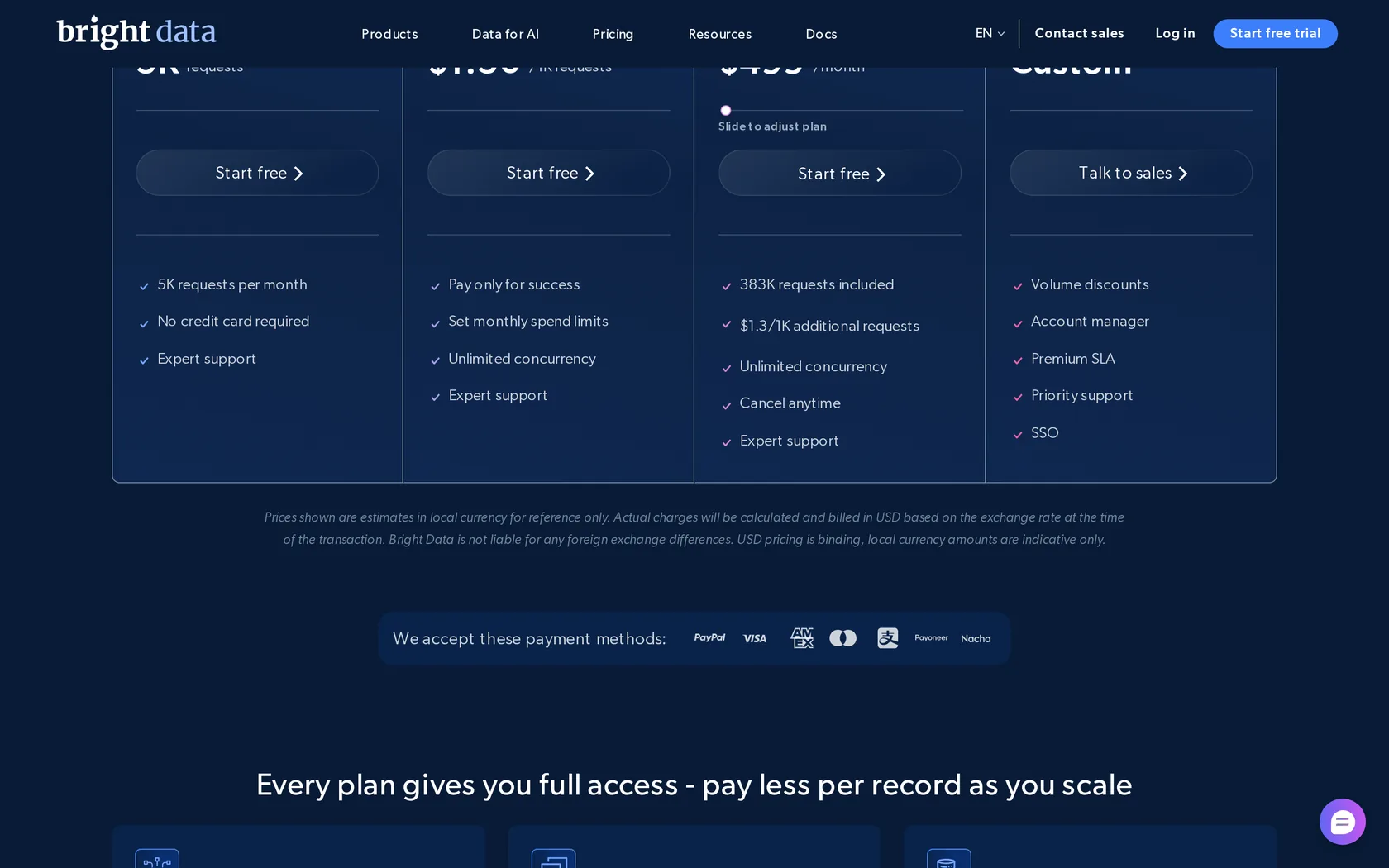
Bright Data is the biggest company in this space by a distance, with around $300M in annual revenue and no venture funding behind it. It also has the widest product range:
- Web Unlocker for getting through bot protection
- Web Scraper API with 100+ ready-made endpoints for sites like LinkedIn and Amazon
- Browser API you drive with your own automation code
- SERP API for search results pages
- Dataset marketplace covering 900+ sites, from $250 per 100,000 records
Pricing is flat, which is a genuine relief after an hour with someone else's credit table. It has also been the company most willing to fight scraping cases in court, and it has won. Meta's contract claims were thrown out in January 2024 and X Corp's in May 2024. That case law protects everyone on this list, not just Bright Data.
Every call was rejected before it reached a website, so this measures signup, not scraping.
We created an account and generated a key, but all 15 requests were refused. The dashboard had marked the new account suspended for insufficient funds and asked for $1, even though the public pricing page advertises 5,000 free requests a month with no card. We did not add money, so we cannot tell you how Bright Data performs. We can tell you the advertised free path did not work on a new account.
What we liked
- Flat pricing that does not change with difficulty
- Widest product range in the category
- 100+ prebuilt scrapers and 900+ site datasets
- MCP server with around 69 tools
- Court wins that benefit the whole industry
Where it falls short
- Most expensive per request in most scenarios
- Heaviest identity verification of anyone here
- Our new account was suspended until funding, so we could not run a valid performance test
- Was not included in the independent benchmark
5. Oxylabs
G2: 4.5 from 420 reviews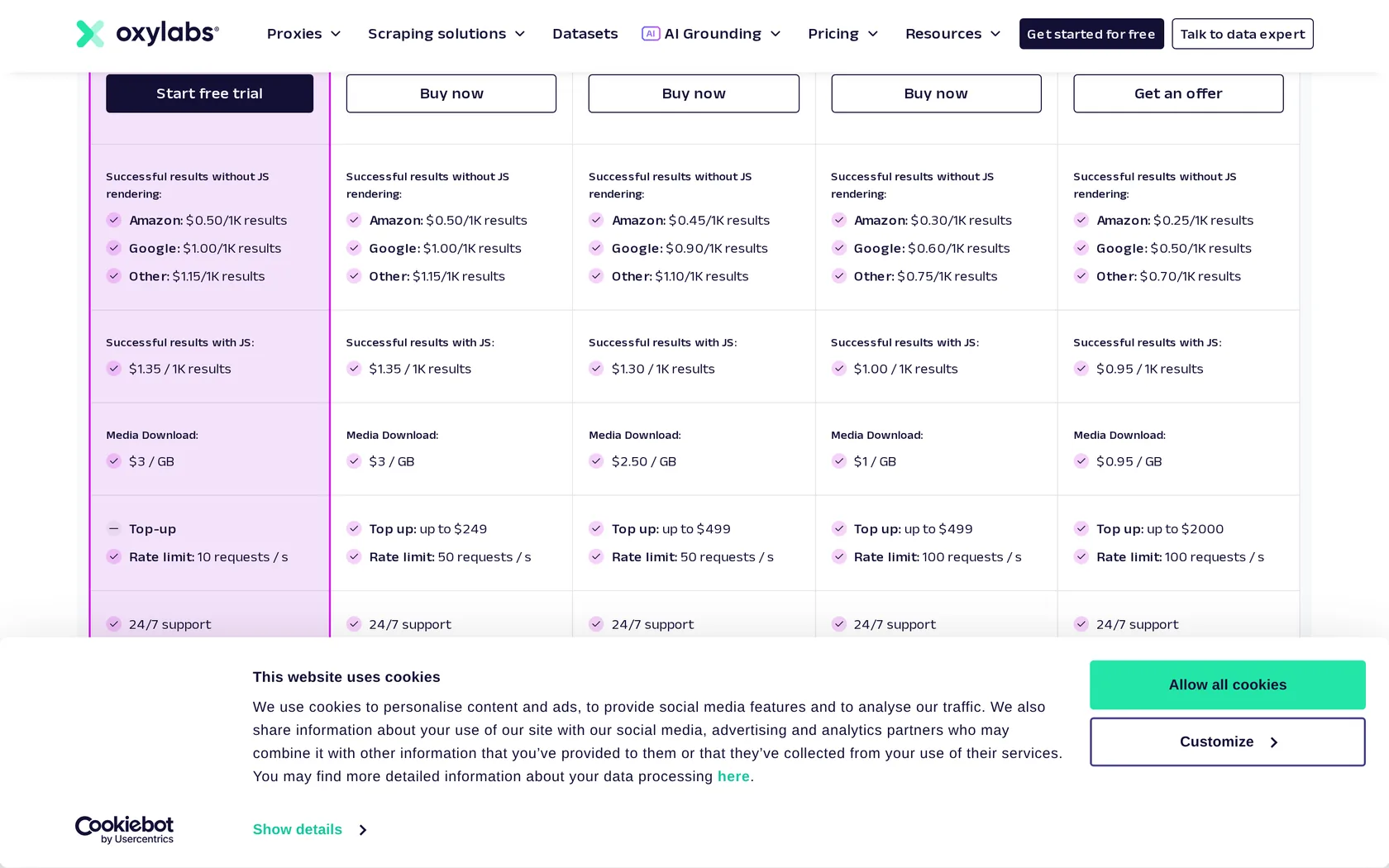
Oxylabs is the second heavyweight in this market, behind Bright Data. It owns ScrapingBee, reports around $350M in revenue, and was valued at $3.6B when Warburg Pincus invested in July 2026. If you need a vendor that will still be here in five years, that matters. Independent testing put it at 85.82%, just behind Decodo.
OxyCopilot is included free on every plan and writes working request code from a plain English prompt, which is a genuinely useful thing to have on day one. AI Studio adds scraping, crawling, search and site mapping driven by natural language.
Oxylabs returned the right page every time, and all three G2 requests came back with real review content rather than a block page. G2 blocked it entirely in Proxyway's October 2025 test, so this is a big swing in the other direction. Defenses and vendor routes change, which is exactly why the two results differ.
What we liked
- 85.82% success, second best in the benchmark table above
- Best performer on Shein and Lowe's, two of the hardest sites
- Per-target rates published rather than buried
- OxyCopilot included on every plan
- ISO 27001 certified
Where it falls short
- 4xx responses count as successes and get billed
- Named defendant in Reddit's October 2025 scraping lawsuit
- Trustpilot 3.9 from 765 reviews, with billing complaints
- Two pricing tabs on one page, easy to compare the wrong one
6. ScrapingBee
G2: 4.8 from 29 reviews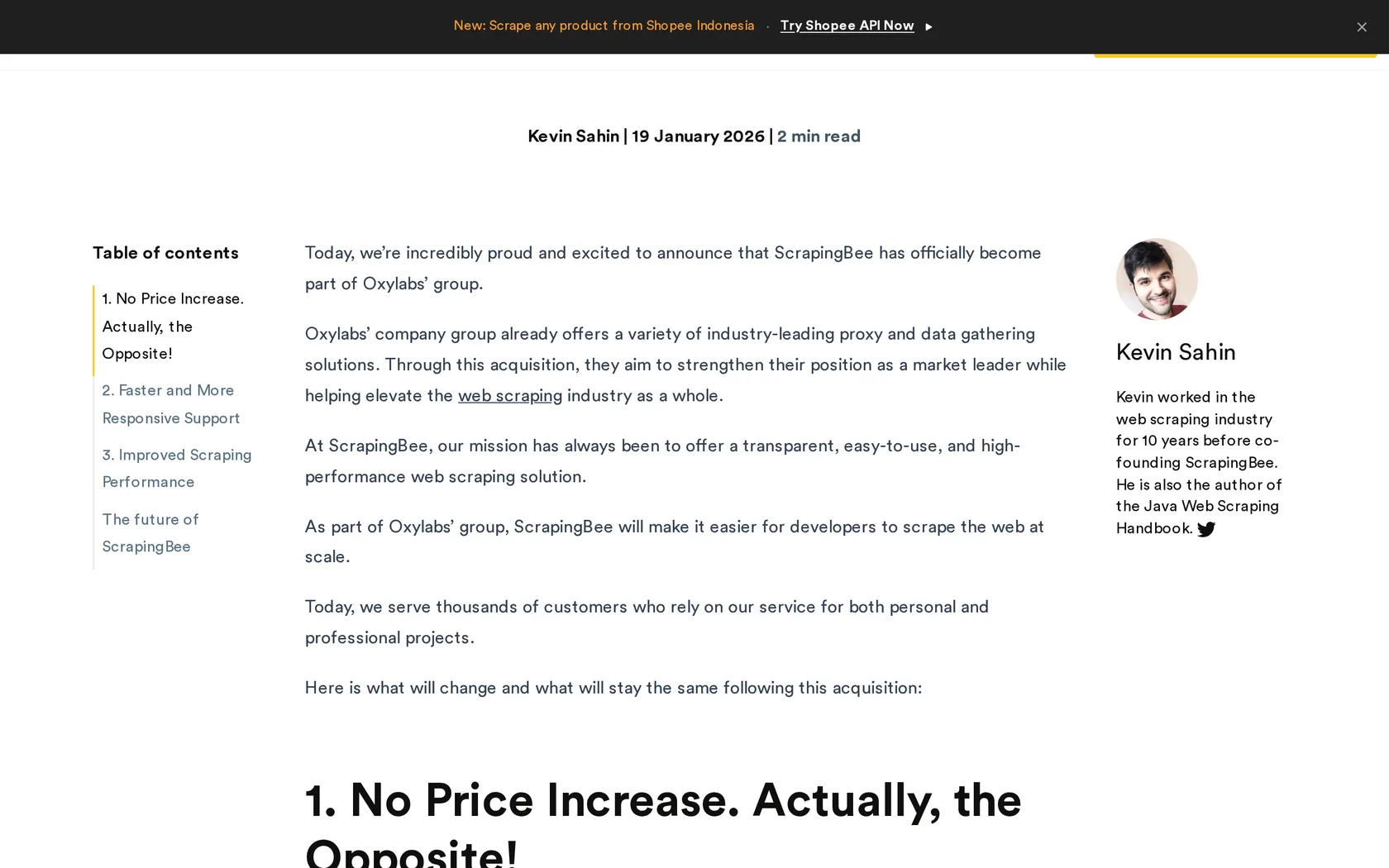
ScrapingBee has always been the API developers actually enjoy using, and being bought by Oxylabs in June 2025 has not changed that. Its options are the best thought out in this guide:
- Ask for the page as markdown instead of raw HTML
- Script a click-and-type sequence, for pages that need you to interact with them
- Pull out just the fields you want, using a simple rule per field
- Hand the page to an AI model and ask it a question about the content
Best of all is the auto mode. It picks the cheapest proxy tier that actually works for that site, and you can set a maximum cost so it can never quietly escalate to an expensive one without telling you.
We ran it with rendering, premium routing and markdown output all switched on. The four ordinary targets were quick and clean. G2 was not: all three calls came back reporting success but with an empty page, which we counted as failures. ScrapingBee still charged 25 credits for each of those empty responses.
Every option is a parameter on one URL, so you can turn rendering or markdown on and off without changing your code:
curl "https://app.scrapingbee.com/api/v1?\
api_key=YOUR_KEY&\
url=https%3A%2F%2Fexample.com&\
render_js=true&\
return_page_markdown=true"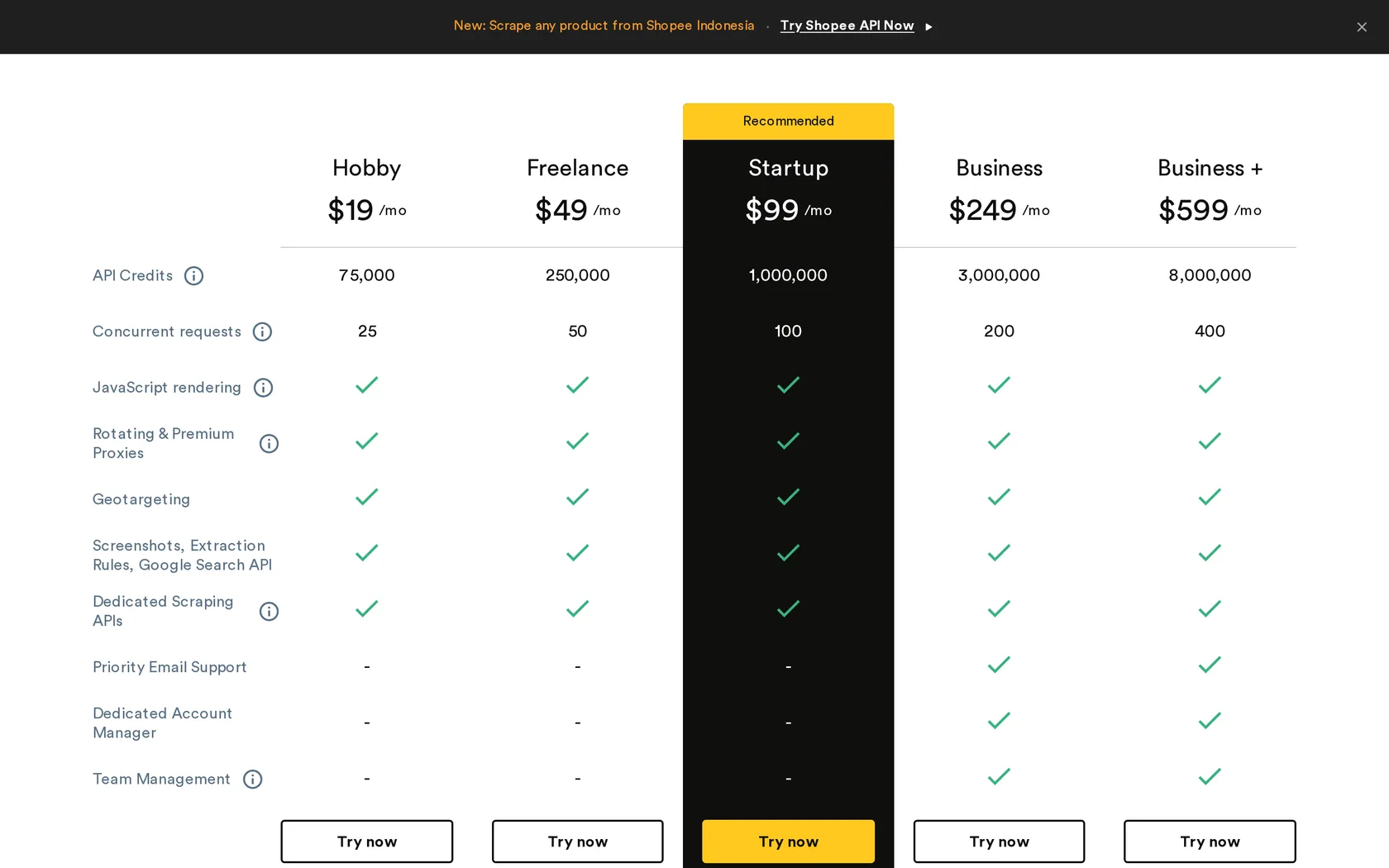
What we liked
- 84.47% success, third best in the benchmark table above
- Best parameter design of any API here
- Markdown, screenshots and AI extraction built in
- Cost-capped auto mode
- Remote MCP server for Claude Desktop, Cursor and ChatGPT
Where it falls short
- Slowest in the benchmark at a 25.46 second average
- Rendering and premium proxies appear to start at the $249 tier
- Stealth tier at 75 credits gets expensive fast
- Only 29 G2 reviews, a thin sample
7. ScraperAPI
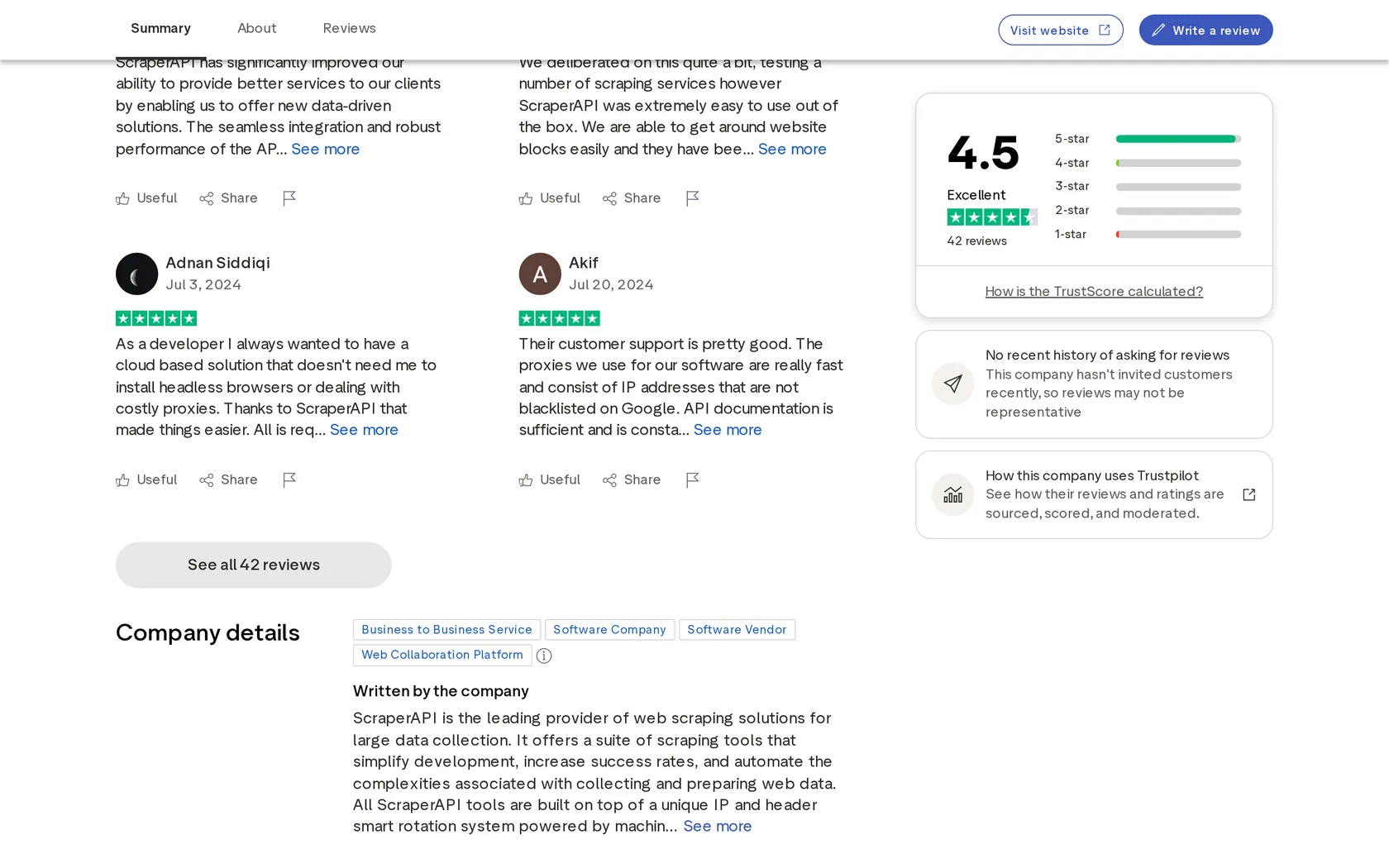
Trustpilot: 4.5 from 42 reviews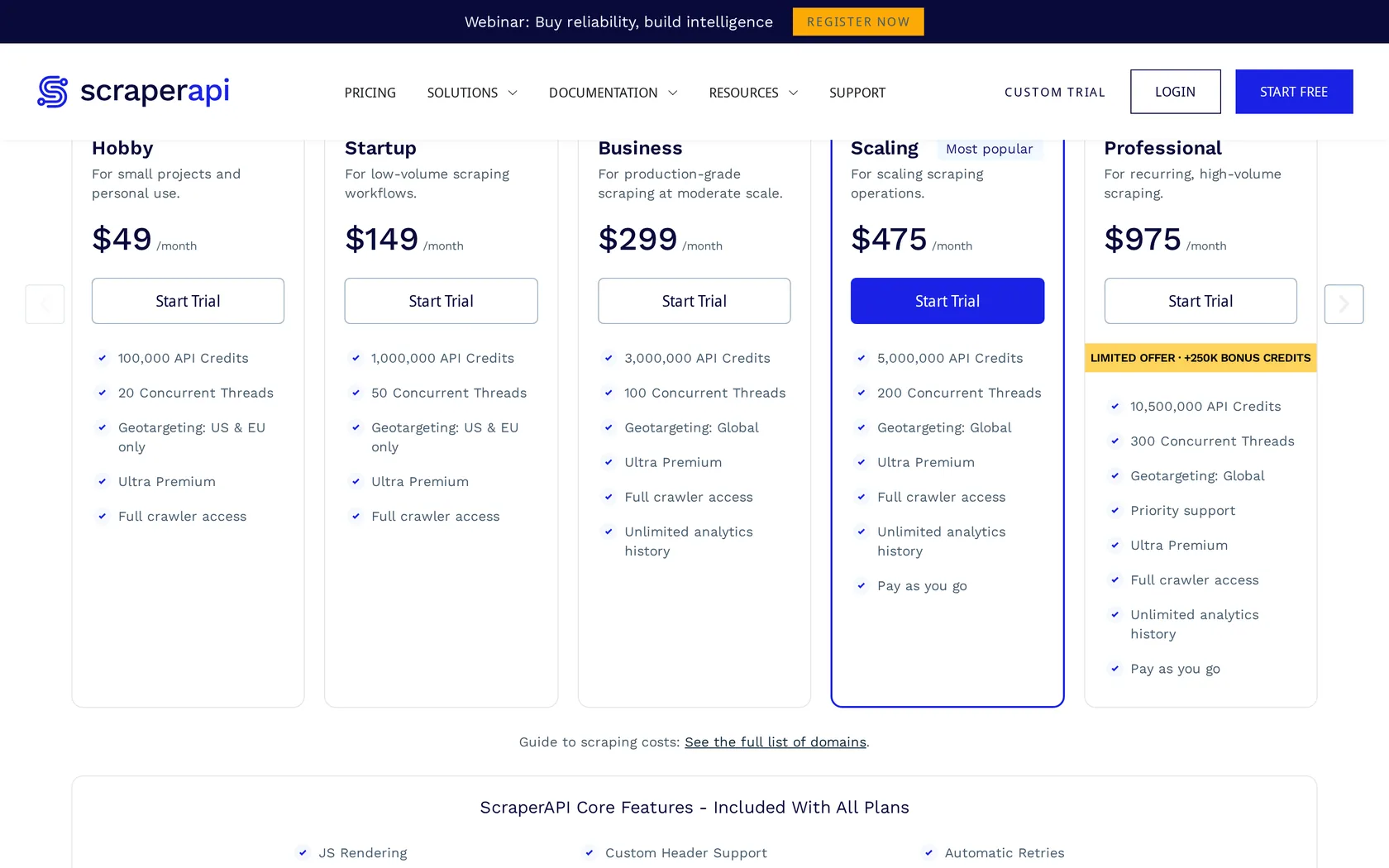
ScraperAPI is the one most people try first, for a good reason. Every feature is on every plan including the $49 tier, and a request is one GET with an API key on the end. Concurrency runs from 20 up to 500, which is generous.
The catch is the credit table, and it is the single biggest source of surprise bills in this industry. A plain request costs 1 credit. From there it climbs by site:
- Amazon or Walmart: 5 credits
- Google or Bing: 25 credits
- LinkedIn: 30 credits
Then the options stack on top. Rendering adds 10, a premium proxy adds 10, and ultra premium adds 30. Combinations are capped rather than added up, so rendering plus a premium proxy is 25 rather than 21, and the hardest setting of all is 75.
None of this is hidden, it is all in the docs. But it means a plan advertised as "one million requests" really buys you 200,000 Amazon pages, or 40,000 Google results.
ScraperAPI handled the four ordinary and JavaScript targets on every single run, then returned a server error on all three G2 attempts. Proxyway measured 99.97% on that exact site a year earlier. Both results were true on the day they were taken, which is the clearest argument in this guide for testing your own targets before you commit.
What we liked
- 99.97% on G2 in Proxyway's October 2025 test
- Simplest API to integrate in this guide
- Up to 500 concurrent requests
- No feature gating by plan
- Official MCP server
Where it falls short
- 68.95% overall, in the lower half of the benchmark
- Scored zero on Hyatt and Lowe's
- The credit multiplier table is the steepest here at 75x
- Two different free offers advertised on one page
- Failed all three G2 attempts in our September 2026 pilot
8. Scrape.do
Trustpilot: 4.8 from 69 reviews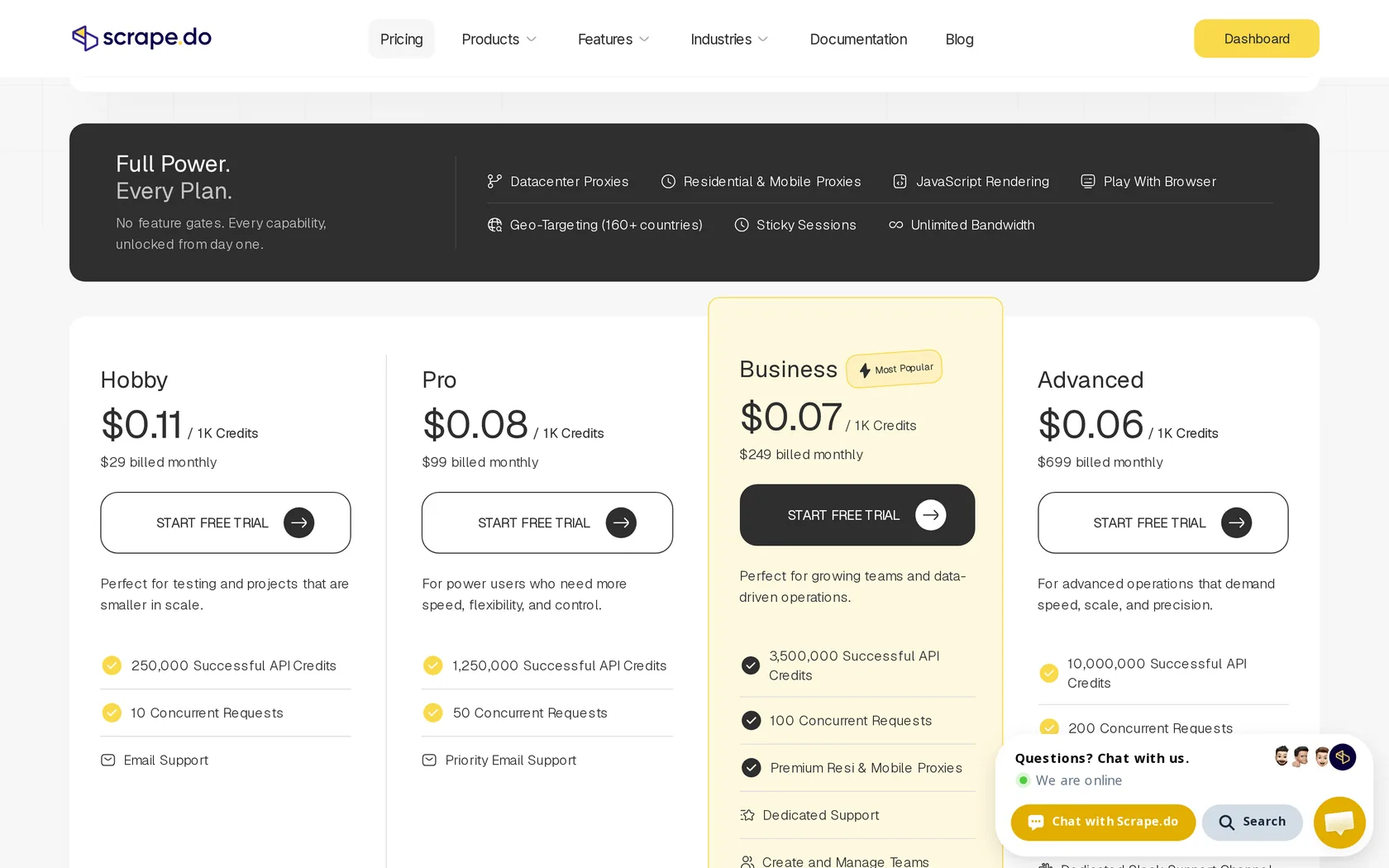
Scrape.do competes on price and does it well. Plain pages work out at $0.07 per thousand on the $249 plan, dropping to $0.06 higher up, which is the cheapest rate in this guide.
Nothing is locked behind a higher tier either. Residential and mobile proxies, rendering, geotargeting across 160 countries, sticky sessions that keep you on one IP address, and unlimited bandwidth are all available on every plan, including the free one.
What genuinely sets it apart is a published table of per-site prices, so you can look up exactly what a domain costs before you write a line of code. Google is 10 credits, LinkedIn is 30, G2 is 25, Shopee is 100 and Sainsbury's is 200. No other vendor in this guide tells you that upfront, and it removes most of the guesswork from a budget.
Everything passed, quickly, G2 included. We deliberately left the most expensive settings on for every request, rendering plus the residential proxy, which is why 15 pages cost 375 credits. Even the simple control page was charged at the full 25. Match the setting to the target and you pay a fraction of that, which is the whole point of the per-domain price table above.
What we liked
- Cheapest plain page rate in this guide
- Per-domain prices published openly
- Every feature on every plan, free tier included
- Names Cloudflare, DataDome, PerimeterX and Akamai directly
- SDKs in eight languages
Where it falls short
- No official MCP server, an odd gap in 2026
- Not included in the independent benchmark
- Only performance data available is its own
- 69 Trustpilot reviews is a modest sample
9. ZenRows
G2: 5.0 from 18 reviews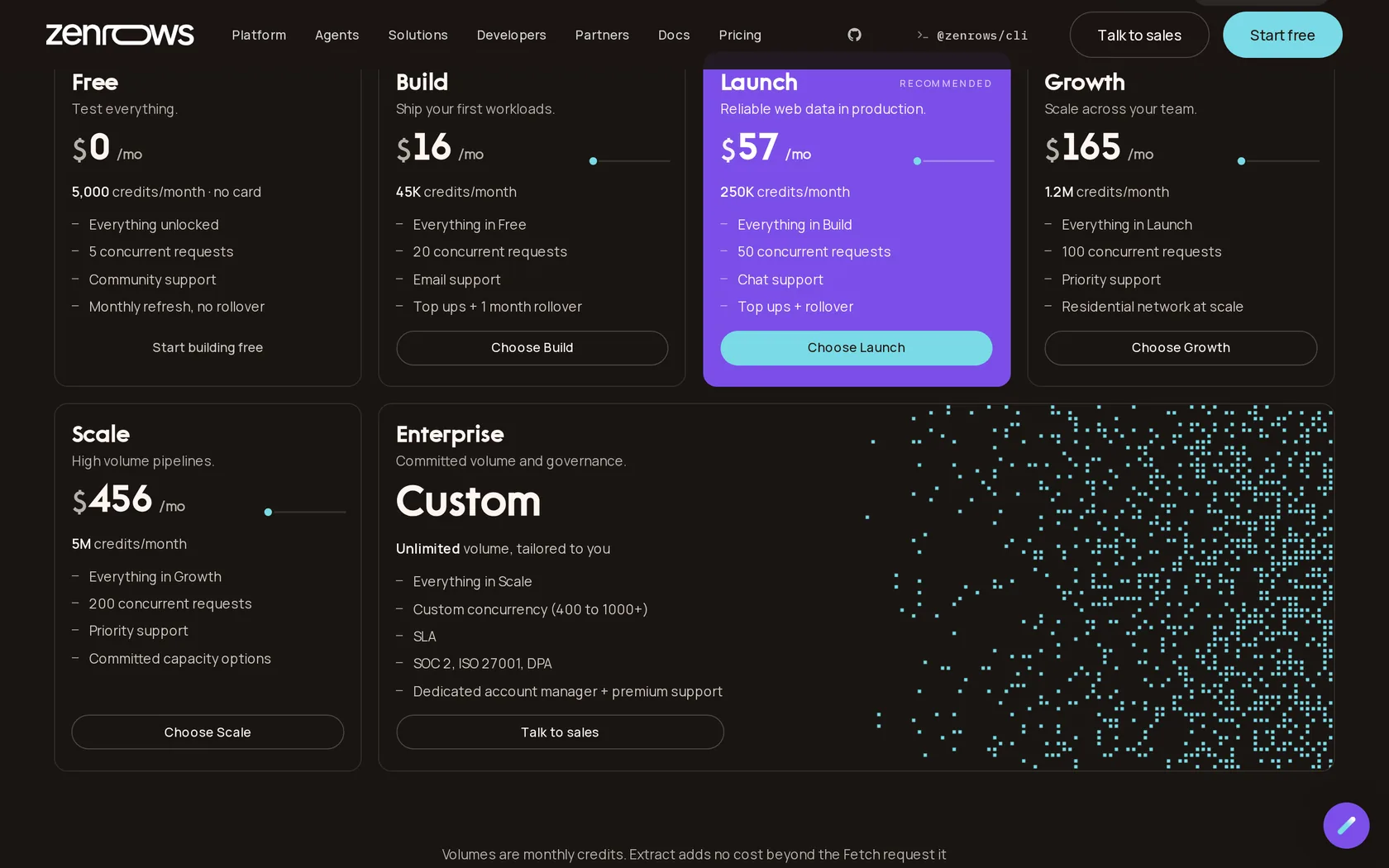
ZenRows has the most generous permanent free tier in this guide. 5,000 credits every month, no card, no expiry date. That is enough to run a real side project indefinitely without paying anything, and it is why ZenRows is often the first paid-grade API a developer tries.
The product has grown into four parts: Fetch for single pages, Extract for automatic JSON, Batch for async jobs and Browser Sessions for driving cloud Chromium with your own Playwright or Puppeteer code.
Six of the eight failures were ZenRows refusing the domain, not failing to unblock it, and those fast refusals are why the median time looks so low.
That 7 out of 15 needs explaining. ZenRows refused two of our test domains outright, answering "Requests to this domain are forbidden" rather than attempting the scrape. Once you set those aside, it passed every control request and two of three tries at both our article and G2. The lesson is to check your own target domains are allowed, which the free tier lets you do in minutes.
What we liked
- Best free tier in the category by a wide margin
- Only $19 to go paid
- Browser Sessions for real interaction
- SDKs, CLI and MCP server
- Failed requests never billed
Where it falls short
- Falls from 70.39% to 31.76% at higher request rates, the sharpest drop of anyone
- Protected pages cost $6.90 per 1,000 on the $69 plan
- You need to be well up the ladder before rates get competitive
- Scored zero on Instagram
The benchmark detail you need to see before you buy
ZenRows scored 70.39% at two requests per second and 31.76% at ten. Proxyway attributes this to concurrency limits. If you intend to run anywhere near your plan's ceiling, test that specific scenario during the free tier rather than assuming the headline number holds.
10. Scrapfly
Capterra: 4.9 from 236 reviews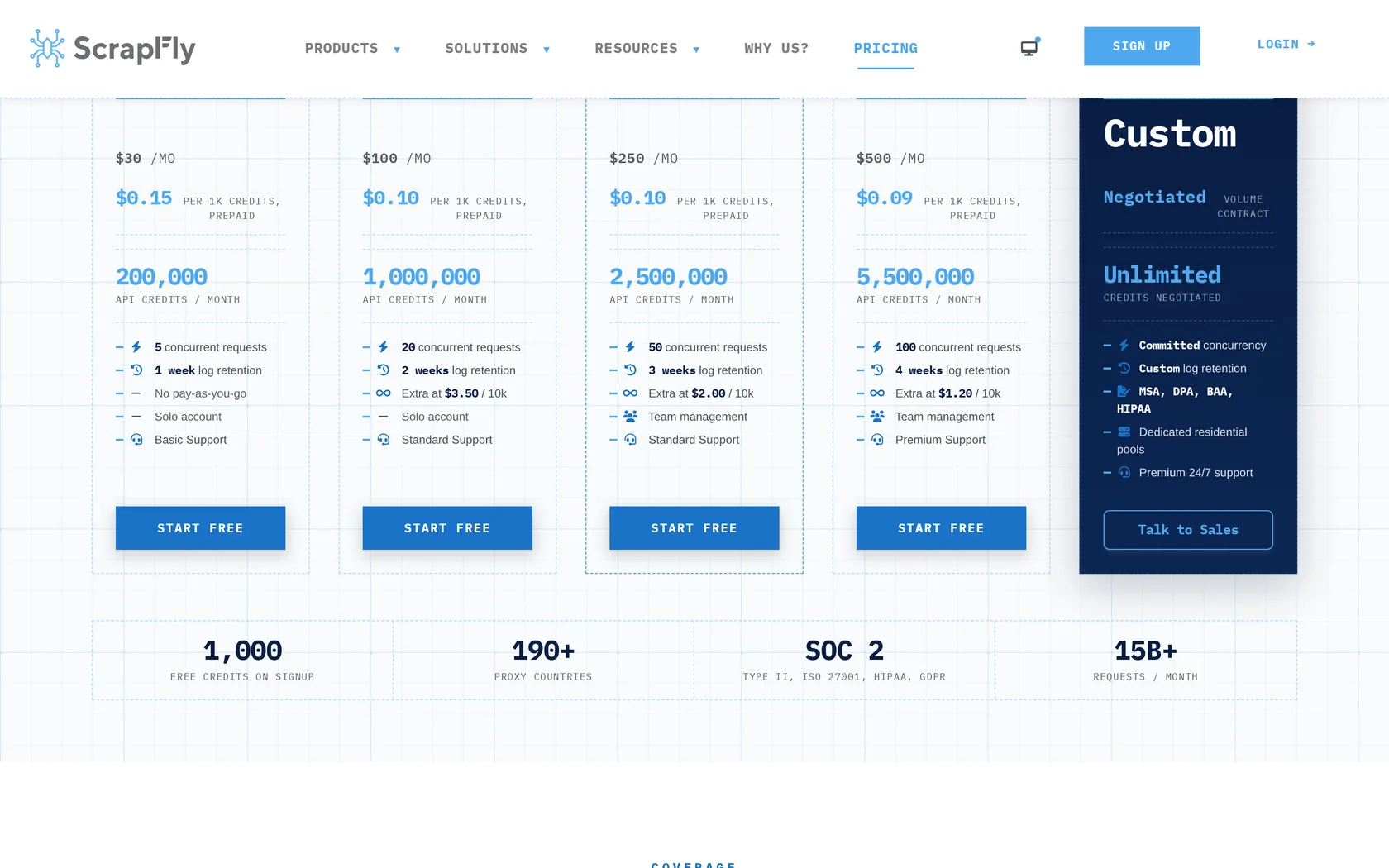
Scrapfly is a small bootstrapped French company with a compliance stack you would expect from a firm ten times its size: SOC 2 Type II, SOC 3, ISO 27001, HIPAA attestation, GDPR and CCPA. If you work in healthcare or finance, or anywhere a security questionnaire stands between you and a purchase order, the shortlist gets very short very quickly and Scrapfly is on it.
You get more than unblocking:
- A cloud browser API
- A crawler, still in beta
- An extraction API with models already trained on products, articles, reviews and job listings, plus the option to just describe what you want in plain English
- A screenshot API
Scrapfly returned every page we asked for, G2 included, but it was one of the slower services to do it. The number to watch here is cost, not speed. An ordinary rendered request cost six credits in our settings. Each G2 request cost 45. Success and price have to be read together, or a high success rate quietly becomes an expensive one.
What we liked
- Compliance stack no rival of this size can match
- Extraction API with pretrained models
- SDKs for Python, TypeScript, Go, Rust and Scrapy
- Hosted MCP server with five tools
- Capterra 4.9 from a healthy 236 reviews
Where it falls short
- Not in the independent benchmark
- The leaderboard ranking it first belongs to its own parent company
- Protected pages at $3.00 per 1,000 are mid-priced at best
- Small team behind it
11. Apify
G2: 4.7 from 625 reviews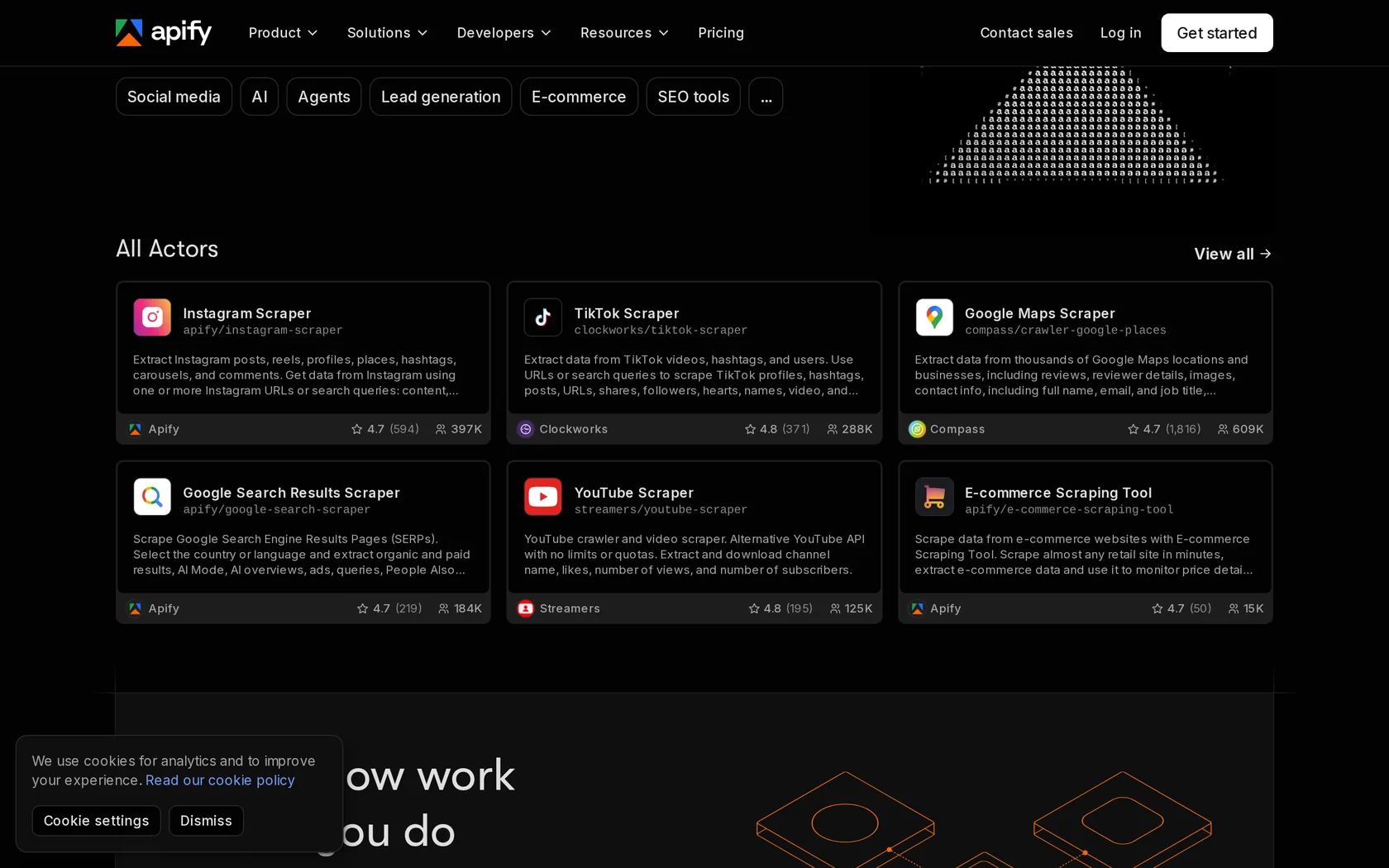
Apify works differently from everything else here. It is a marketplace of roughly 71,000 ready-made scrapers, called Actors, running on serverless infrastructure. If you need Instagram profiles, Google Maps listings or Amazon reviews, someone has already built and maintained that scraper and you can run it in a couple of minutes.
Pricing is based on compute rather than requests, which you need to understand before committing. One compute unit is 1GB of memory for one hour. There is no meaningful cost per 1,000 pages, because it depends entirely on which Actor you run and how efficiently its author wrote it. Apify also maintains Crawlee, the open source crawling framework.
We ran Apify's general-purpose Website Content Crawler, not a specialist Actor built for each site. That is the fairest like-for-like comparison, but it is not how most people use Apify.
The general crawler handled the control and product pages, then returned nothing usable for the JavaScript page, our article or G2. Read that as a verdict on one catch-all Actor, not on the marketplace. The reason to use Apify is that someone has probably already built and maintained a scraper for your exact site, and that is the one you should be testing.
What we liked
- Enormous library of ready-made scrapers
- No code required for most jobs
- Maintains Crawlee, a genuinely good open source framework
- G2 4.7 from 625 reviews, a solid sample
- Official MCP server
Where it falls short
- Community Actor quality varies a lot
- Its own Walmart Actor ran at 0.01 requests per second in testing
- Compute pricing makes cost per page hard to predict
- Rental Actor pricing retires on 1 October 2026
12. Firecrawl
GitHub: 182.2k stars, no user rating yet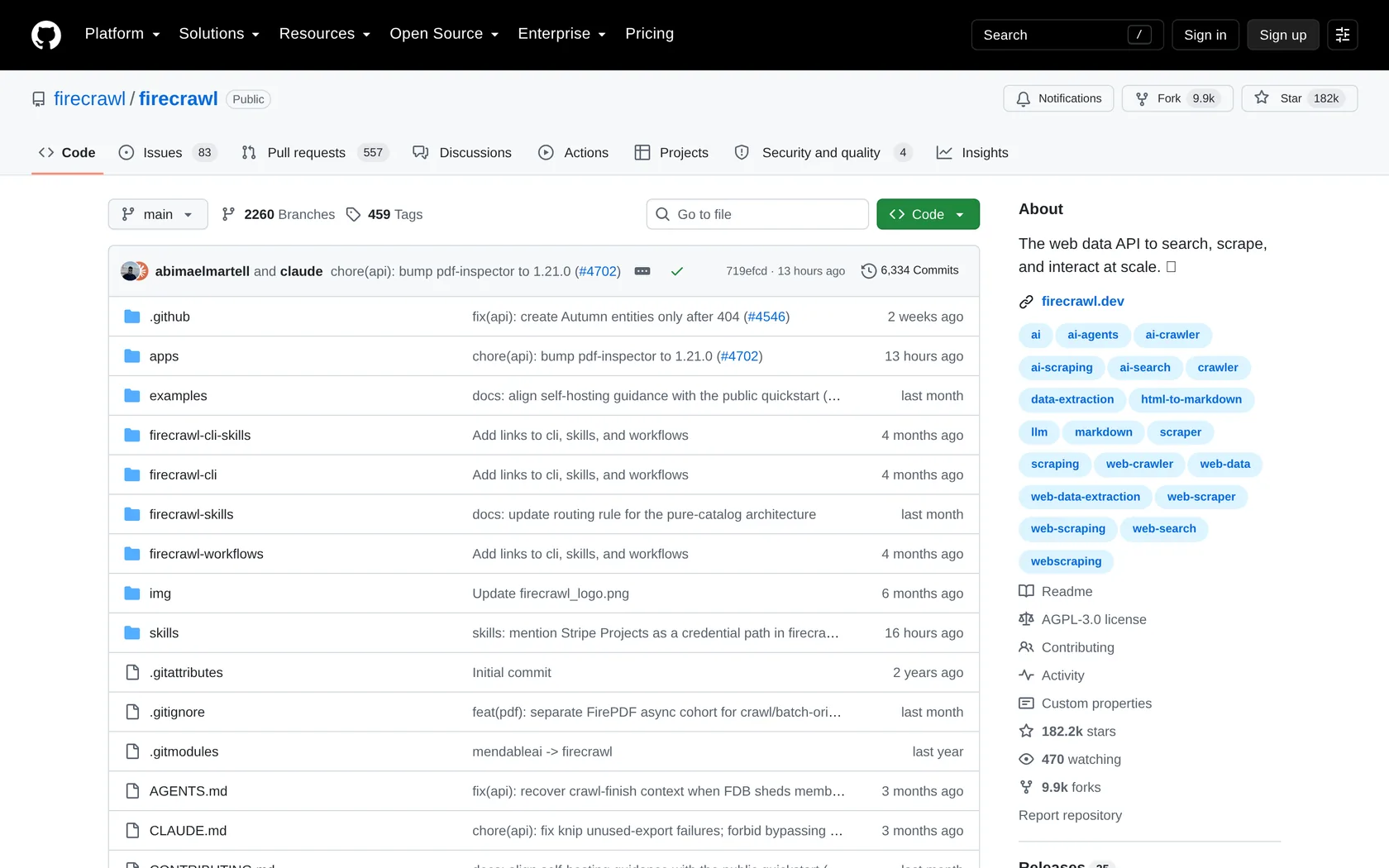
Firecrawl earns both its popularity and its criticism, and you need to hold both at the same time.
What it does brilliantly is turn a website into clean markdown with almost no effort. The endpoints are named for exactly what they do:
/scrapeone page/crawla whole site/mapto list every URL on a site, instantly/searchto combine a web search with the page content/parsefor PDFs and Office files/agentfor research driven by a written prompt
It is open source and you can host it yourself, there are libraries for ten languages, and you can connect it to an AI coding agent in about thirty seconds without even creating an API key.
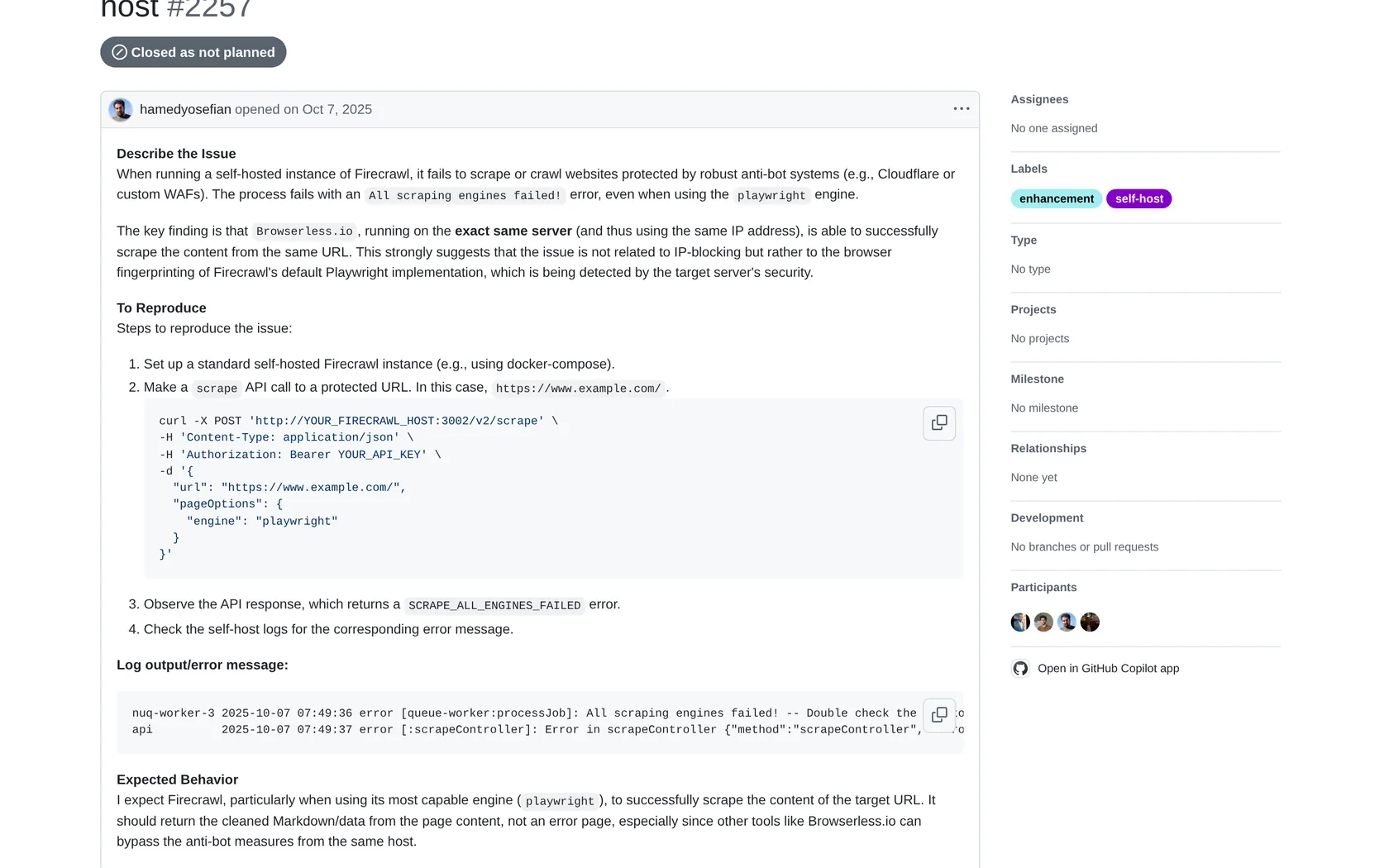
Now the part the marketing skips. Firecrawl finished last at 33.69% in Proxyway's October 2025 run. A GitHub issue also describes a self-hosted Firecrawl and Browserless comparison from the same IP where Firecrawl failed and Browserless succeeded. That points at the browser fingerprint rather than the IP address.
Our own test went the other way entirely. Firecrawl returned every page we asked for, G2 included, and it was the fastest API we tried by a clear margin. So Firecrawl can get through protected pages. The larger benchmark says it does not do so reliably across many of them. Both can be true, and the gap between them is the reason to trial it on your own sites.
What we liked
- Best markdown and crawl ergonomics in the category
- Open source, AGPL-3.0, self-hostable
- 182,200 GitHub stars and a real community
- Keyless MCP endpoint
- SDKs in ten languages
Where it falls short
- Last place at 33.69% in Proxyway's October 2025 test
- Scored zero on G2, Instagram, Lowe's and Shein in that test
- Open GitHub issues about Cloudflare failures
- Anti-bot layer is cloud only, not in the self-hosted build
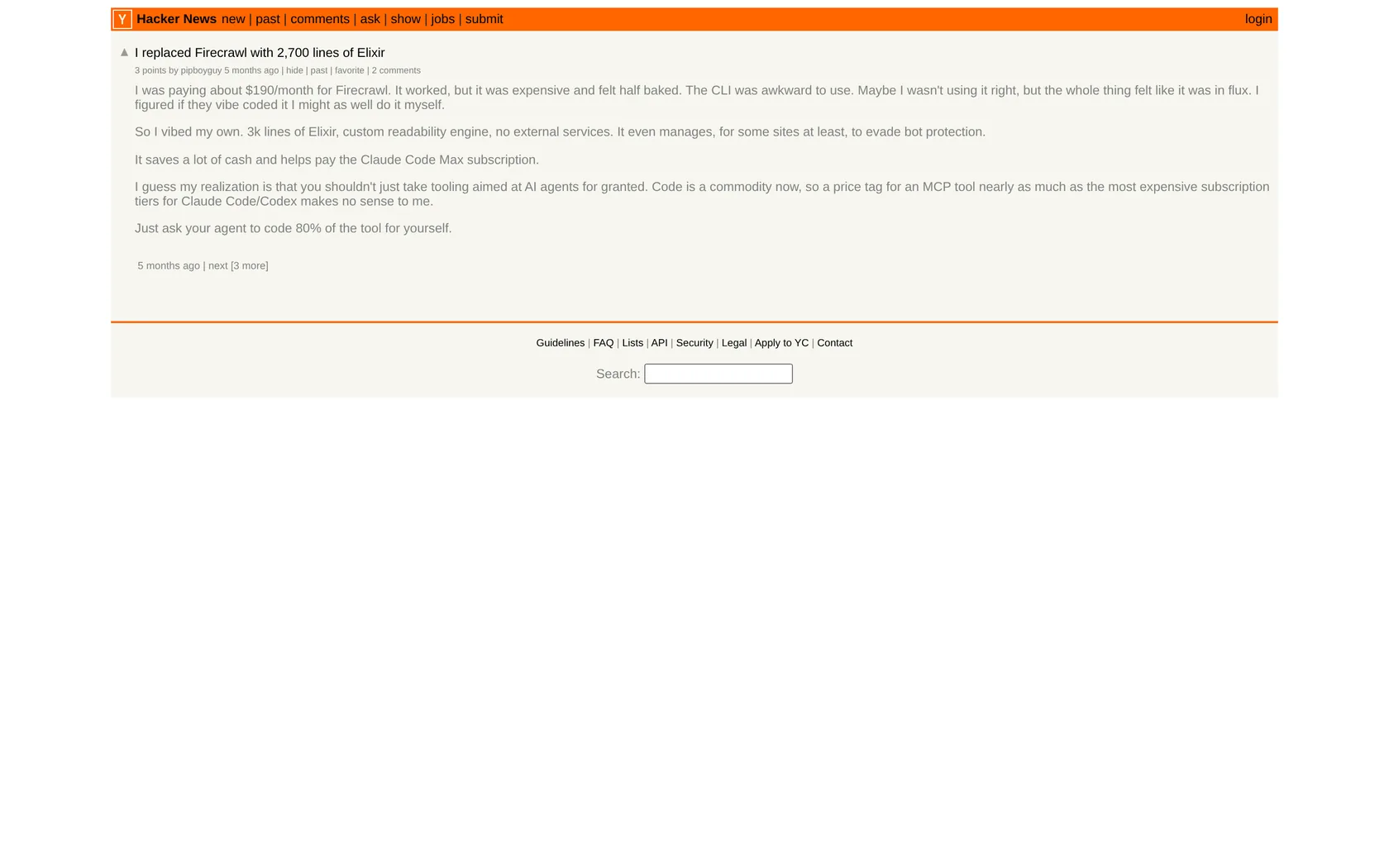
- Developers repeatedly describe it as expensive for what it does
13. Crawlbase
G2: 4.3 from 6 reviews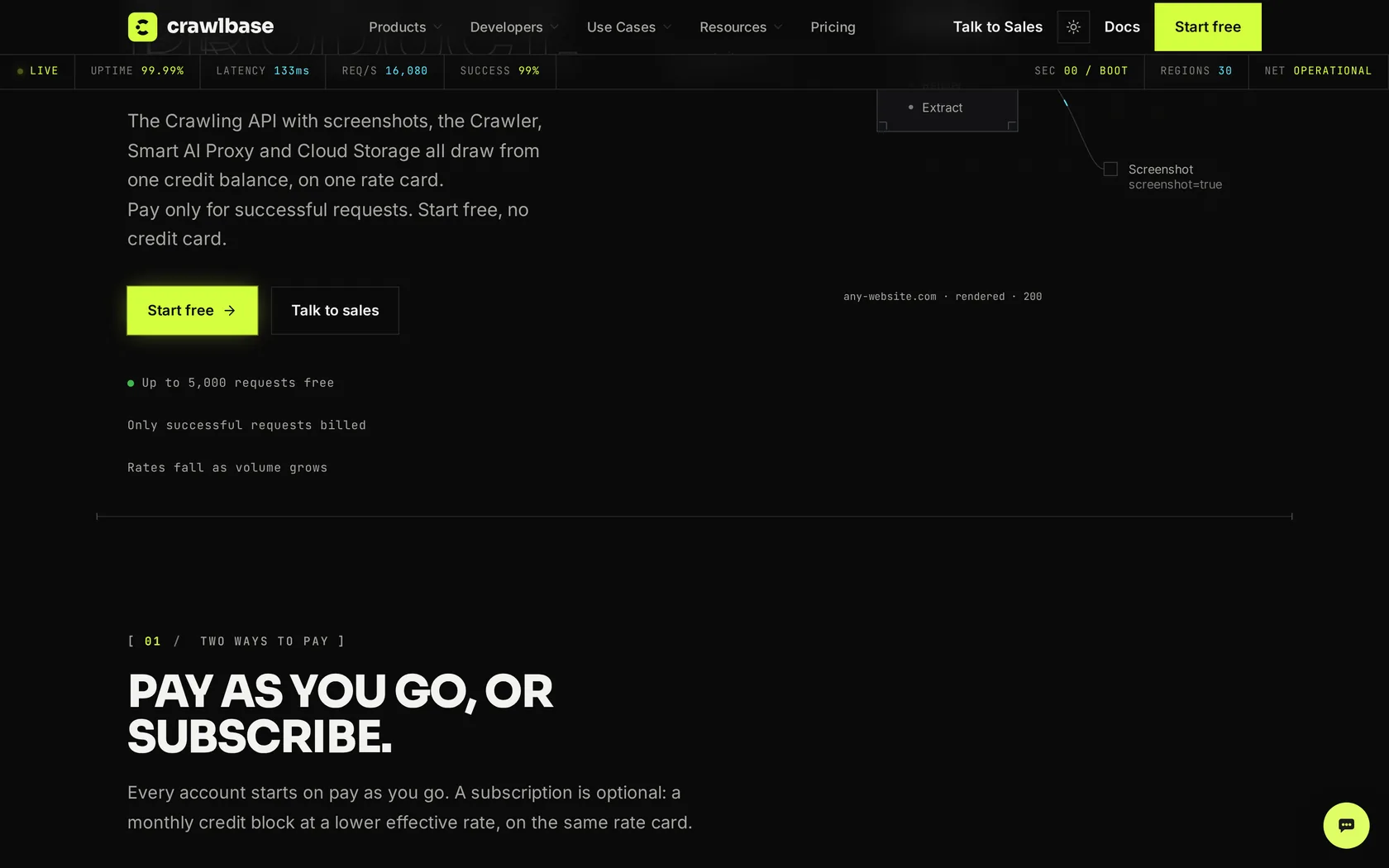
Crawlbase prices like income tax brackets. Each block of requests costs less than the one before it, so your average price keeps falling as you grow:
| Requests in a month | Cost per 1,000 |
|---|---|
| First 1,000 | $3.00 |
| Next 10,000 | $2.00 |
| Next 100,000 | $0.60 |
| Beyond a billion | $0.02 |
Crawlbase publishes worked totals, which is more than most vendors do. A month of 100,000 requests comes to $76.40. One million comes to $527.50. Ten million comes to $1,471.90.
Two multipliers sit on top. Rendering doubles the cost, and site difficulty runs from Standard at 1x all the way to Extreme at 20x. The problem is that Crawlbase does not publish which real sites fall into which difficulty tier, which makes forecasting harder than it needs to be.
Crawlbase handled the first four targets on every run. G2 was the exception, and the way it failed matters more than the fact that it failed: all three requests died after nearly two minutes each. Crawlbase does not bill a failed request, but your worker is still tied up for those two minutes, and at volume that is the cost that actually hurts.
What we liked
- Genuinely cheap at very large volume
- Worked cost examples published openly
- Never bills a failed or blocked request
- SDKs in five languages
- Operating since 2017
Where it falls short
- 56.72% success, in the lower half
- Difficulty tier mapping is not published
- Second slowest in the benchmark at 23.94 seconds
- Scored zero on Hyatt, Leboncoin, Lowe's and Nordstrom
- Only 6 G2 reviews
Other web scraping tools worth knowing
Jina AI Reader
Bought by Elastic in October 2025. Put r.jina.ai/ in front of any URL and get clean markdown back, with no API key at all at 20 requests a minute. A key raises that to 500 and comes with 10 million free tokens. It is the fastest way to get a page into an LLM, full stop.
Jina is also refreshingly honest about its limits, which we wish more vendors were.
Use it for open content. It will not get you into protected sites, and paying does not change that.
Olostep
Every request is rendered in a real browser and routed through a residential IP by default, with nothing held back for higher tiers. That includes the free trial, which is 500 requests and needs no card.
Paid plans start at $99 for 200,000 requests, which is about $0.50 per thousand. The company was founded in 2024, so there is less track record here than elsewhere on this page.
Nimble
Nimble raised a $47M Series B in February 2026 and prices flat: $1.00 per thousand for extract, crawl and map, $1.10 for search, $3.00 for structured templates. The free tier is 5,000 requests a month.
It is also the best illustration in this guide of why overall rankings mislead. Nimble scored 47.72% across the benchmark as a whole, near the bottom. On Instagram it was the only provider in the entire test to score a perfect 100%.
Tavily and Exa
Neither of these is a scraper. Both are search APIs built for AI agents, which is a different job. Reach for them when your question is "find me relevant pages", not "fetch me this exact page".
Tavily gives 1,000 free credits a month and then charges $0.008 per credit; Nebius is buying it for $275M. Exa charges $7 per thousand searches, plus $1 per thousand pages of content.
Browserbase
Cloud browser infrastructure rather than a scraping API. You bring your own Playwright or Puppeteer code and it runs at scale. $99 a month for 500 browser hours, then $0.10 an hour. It also built Stagehand, the open source AI browser automation SDK. Use it when you need real interaction, like logging in or filling a multi-step form.
How web scraping API pricing actually works
Nearly every vendor advertises the cheapest number on its rate card. That number is for a plain HTML fetch from an unprotected site through a datacenter proxy. It is real. It is also the request type you will almost never send.
What sets your bill is the multipliers. Here is what a single request costs on four vendors once you turn on what you actually need.
| Request type | ScraperAPI | ScrapingBee | Scrape.do | Context.dev |
|---|---|---|---|---|
| Plain page, datacenter proxy | 1 credit | 1 | 1 | 1 |
| With JavaScript rendering | 11 | 5 | 5 | 1 |
| Premium or residential proxy | 11 | 10 | 10 | 1 |
| Rendering plus premium proxy | 25 | 25 | 25 | 1 |
| Hardest tier | 75 | 75 | by domain | 1 |
| Google search result | 25 | 15 | 10 | 1 |
| LinkedIn page | 30 | n/a | 30 | 1 |
Work it through on ScraperAPI's Business plan, which is $299 for 3,000,000 credits, or $0.0997 per 1,000 credits.
- A plain page costs 1 credit, so $0.10 per 1,000 requests.
- A protected page needs premium proxy plus rendering at 25 credits, so $2.49 per 1,000.
- A genuinely hardened page needs ultra premium plus rendering at 75 credits, so $7.48 per 1,000.
That is a 75x spread inside a single plan, and every one of those numbers is honest. This is how people end up with a bill four times what they budgeted, and it is why we did this arithmetic for every vendor rather than reprinting their headline rates.
Three questions to ask any vendor before you sign
1. What does one request to my specific target domain cost in credits? Ask for the number, not a range.
2. Do you bill failed requests, and which status codes count as a success? Several vendors bill 404s, and Oxylabs bills all 4xx responses.
3. What is the success rate at my real concurrency? The independent data shows sharp drops between 2 and 10 requests per second.
What it really costs to scrape one million pages
Rates per 1,000 are hard to feel, so here is a real scenario. You are monitoring competitor prices and need one million product pages a month. Seventy percent are ordinary sites that work with a plain fetch. Thirty percent sit behind real bot protection and need residential proxies plus rendering.
| API | 700k plain pages | 300k protected pages | Monthly total |
|---|---|---|---|
| String | $112 | $270 | $382 |
| Decodo | $98 | $360 | $458 |
| Context.dev | $349 | $150 | $499 |
| Scrape.do | $49 | $525 | $574 |
| ScrapingBee | $58 | $622 | $680 |
| Oxylabs | $280 | $405 | $685 |
| ScraperAPI | $70 | $747 | $817 |
| ZenRows | $77 | $824 | $901 |
| Scrapfly | $70 | $900 | $970 |
| Bright Data | $910 | $390 | $1,300 |
Worked out from each vendor's published rate on the plan named in its review. Context.dev's total is simply its $499 Scale plan, because one million pages is one million credits whatever the site. String's total is its Growth plan rates with the balance topped up, because its monthly fee is credit rather than a licence. It also bills nothing for a blocked request, which this model cannot show because it assumes every request works. These are rate-based estimates. At this volume some vendors would move you to a larger plan, which usually improves the rate rather than worsening it.
Three things come out of this.
The cheap headline rate matters far less than the protected rate. That thirty percent slice drives most of the bill everywhere except Context.dev and Bright Data, which charge the same either way.
Flat pricing looks expensive until it does not. Bright Data is the priciest option on easy pages and one of the cheapest on hard ones. That is exactly what flat pricing does, and whether it suits you depends entirely on your mix.
The gap between vendors is smaller than the gap inside one vendor. Cheapest to dearest here is under 3x. The spread inside ScraperAPI's own credit table is 75x. Choosing the right request type matters more than choosing the right company.
The number this model leaves out
It assumes every request works. A provider returning only 33.69% successful pages, as Firecrawl did in Proxyway's October 2025 test, would need roughly three times as many attempts to deliver a million pages. Our newer five-URL pilot produced a much better result, which is exactly why success rate must be measured on your current targets and treated as a pricing input.
Which websites are hardest to scrape in 2026?
The per-site results are the most useful part of the independent report, because they show that a single success rate figure is close to meaningless on its own.
| Website | Protection | Proxyway, Oct 2025 11 APIs | Web Data Frontier, Sep 2026 16 APIs |
|---|---|---|---|
| Shein | Custom | 21.88% hardest | Not tested |
| G2 | DataDome | 36.63% | 37.5% |
| Hyatt | Kasada | 43.75% | 70.0% |
| Lowe's | Akamai | 52.57% | 61.3% |
| In-house | 59.54% | 73.8% | |
| Nordstrom | Imperva | 61.97% | Not tested |
| Leboncoin | DataDome | 63.83% | 77.5% |
| Amazon | In-house | 93.30% | 75.0% |
| In-house | 94.78% | 51.3% | |
| Zillow | PerimeterX | 97.85% easiest | 92.5% |
The two columns are not interchangeable. They are different runs, a year apart, with different provider line-ups and different URLs on the same domains, so read them as two separate readings of the same question rather than a before and after. Shein and Nordstrom are not in the 2026 target list.
Amazon, the site everyone assumes is hardest, turns out to be one of the easiest. Shein, which nobody talks about, beat roughly four out of five attempts, and four providers scored a flat zero on it.
The two runs also disagree in useful ways. Google went from one of the easiest targets in the field to one of the harder ones, 94.78% down to 51.3%, while Hyatt climbed from 43.75% to 70.0% and Instagram from 59.54% to 73.8%. Difficulty is not a fixed property of a website. It is the state of one argument on one date, which is the whole reason to check a current number rather than a cited one.
The best overall API is often the wrong one for your website
This is the finding that should change how you shop, and it is the reason we went into the raw data instead of reading the summary. The variation between sites is far wider than any ranked list suggests.
| Website | Best result on this site | Scored zero |
|---|---|---|
| G2 (DataDome) | ScraperAPI 99.97% mid-table overall | Decodo, Oxylabs, NetNut, Firecrawl |
| Shein | Oxylabs 62.58% | Crawlbase, NetNut, Nimbleway, Firecrawl |
| Nimbleway 100% near the bottom overall | ZenRows, Firecrawl | |
| Lowe's (Akamai) | Oxylabs 99.60% | ScraperAPI, Crawlbase, Firecrawl |
Read the G2 row again. ScraperAPI sits in the lower half of the benchmark at 68.95% overall, and it gets 99.97% on G2. Decodo and Oxylabs, the two strongest overall, score exactly zero on it. Not low. Zero. Meanwhile Nimbleway sits near the bottom of the table and is the only provider in the whole test to hit a perfect 100% on Instagram.
There is no best web scraping API. There is only the best one for your list of domains, and the only way to find it is to test. This one table is the argument for running a pilot instead of trusting any overall ranking.
Should you build your own scraper instead?
The case for building is real. Proxies cost $2 to $8 per GB wholesale, Playwright is free, and at very high volume on easy sites a self-hosted scraper is cheaper. If you are pulling millions of pages from sites with no bot protection, an API is a convenience tax.
The case against got stronger in 2026. An independent benchmark published in May that year put seven open-source scraping tools through 31 real protected sites, three times each.
Two results stand out. The tools that automate a real Chrome browser got through; the popular automation library Playwright, used on its own, came last. And a tiny 21-line script that simply imitated a browser's network signature matched a heavyweight 130MB custom browser on 26 of the 31 sites.
The conclusion is blunt: how your browser identifies itself now matters more than where your IP address comes from. Buying residential proxies does not fix a browser that looks automated. That matches the Firecrawl GitHub issue exactly: same IP, different tool, different outcome.
A simple rule
Build if your sites have no real bot protection, your volume is high, and someone on the team can own it. Buy if your sites are protected, your volume is under a few million pages a month, or your team's time is worth more than $2 per 1,000 requests. Do both at scale: self-host the easy 80% and route the hard 20% through an API. That hybrid is what most mature teams actually run.
One more thing that never shows up in a spreadsheet. Bot blockers update constantly. Two well documented GitHub threads on undetected-chromedriver record Cloudflare changes that broke a working setup overnight, with one user noting that a normal browser profile passed while the automated one did not. Build it and that maintenance is yours forever. Buy it and it is the vendor's problem.
Is web scraping legal in 2026?
None of this is legal advice, and we are not lawyers. Talk to one before you build a business on scraped data. Here is the factual position as it stands today.
United States
Scraping publicly available data is broadly lawful under the Computer Fraud and Abuse Act. The controlling test comes from Van Buren v. United States in 2021, usually summarized as "gates up or gates down": if a page is public and needs no login, reading it is not unauthorized access. hiQ v. LinkedIn backed this up in the Ninth Circuit before ending in December 2022 with a court-filed consent judgment for $500,000.
Two newer cases matter. In January 2024 a court granted summary judgment for Bright Data against Meta over scraping public Facebook and Instagram pages while logged out. In May 2024 X Corp's claims against Bright Data were dismissed. Both reinforce the line between public data and data behind a login.
Ryanair v. Booking.com shows how these fights usually end in practice. A Delaware jury found for Ryanair in July 2024. In January 2025 the judge overturned the finding that Ryanair had met the CFAA's $5,000 loss threshold. Ryanair appealed in February 2025, and the two then settled commercially, with Booking Holdings getting an agreed distribution arrangement. It ended in a contract, not a precedent.
Copyright and AI training data
This is where the real risk has moved. Scraping a page and using it are now separate legal questions.
- Thomson Reuters v. Ross, February 2025, rejected a fair use defense for AI training on copyrighted legal content. Argued on appeal in June 2026.
- Bartz v. Anthropic produced a $1.5B settlement announced in late August 2025 and finally approved on 20 July 2026.
- Getty v. Stability in the UK, November 2025: Getty dropped its main training claims, Stability successfully defended the copyright case, and Getty won only a narrow trademark point.
- NYT v. OpenAI is still running, with summary judgment filings in September 2026.
- Reddit v. Perplexity, Oxylabs, SerpApi and AWMProxy, filed October 2025, alleges large-scale scraping of Reddit content through Google. Reddit says it planted a post only Google could crawl and watched it surface in Perplexity within hours.
Europe
The European Data Protection Board adopted draft guidelines on scraping for generative AI on 8 July 2026. The headline position is that legitimate interest is the main lawful basis available and that consent does not work at scale. Consultation runs to 30 October 2026, so this is not final.
The EU AI Act's transparency and copyright opt-out rules for general purpose AI models have applied since August 2025, with fines available from August 2026. The EU Data Act has applied since 12 September 2025.
The change that did not come from a court
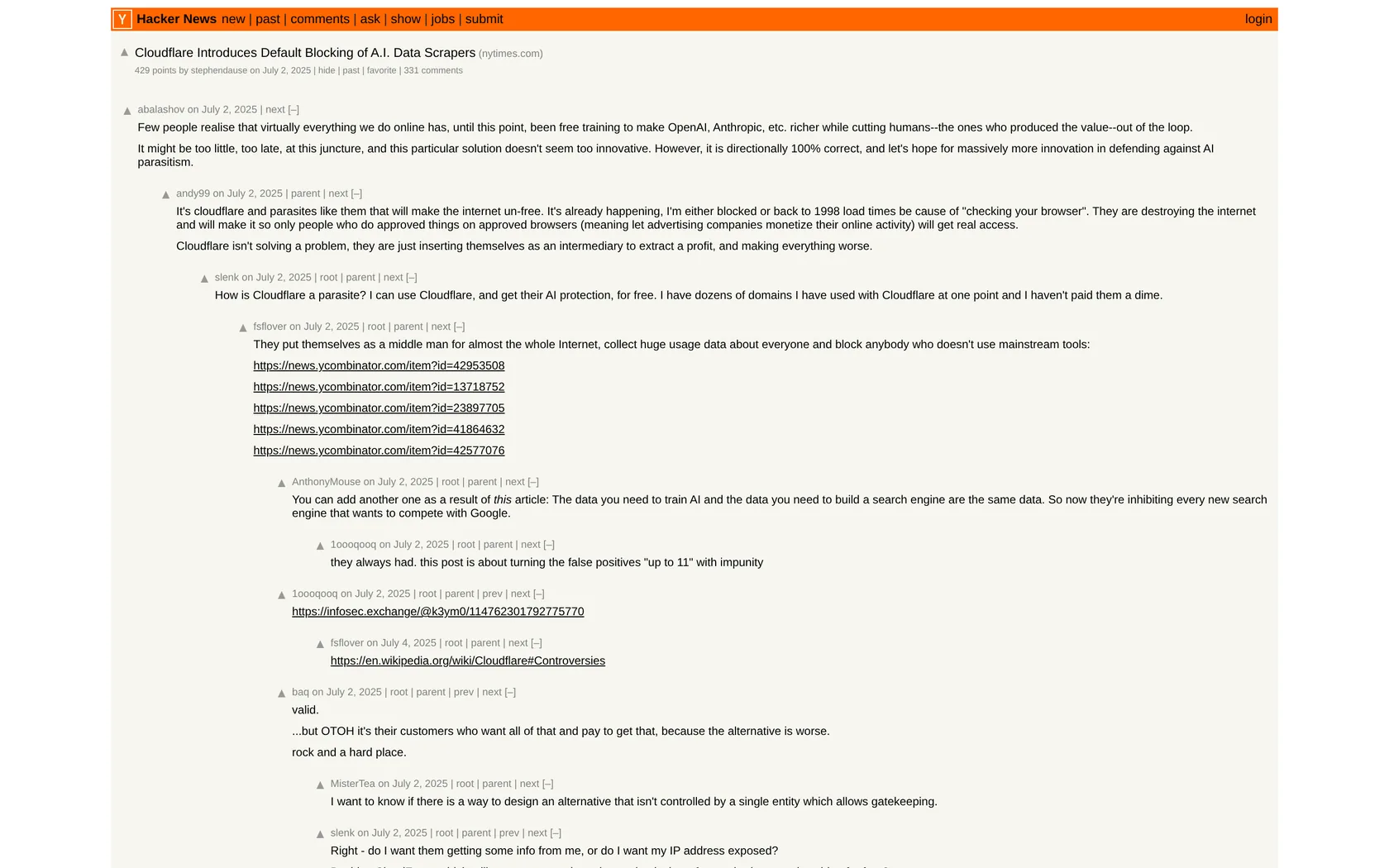
Since 1 July 2025, Cloudflare has blocked AI crawlers by default on new domains it serves. No judge ordered that. It simply moved a large slice of the web behind a permission wall overnight, and it is a reminder that the practical limits on scraping are set by infrastructure companies at least as often as by courts.
Practical rules that keep you out of trouble
Scrape public pages, not pages behind a login whose terms you accepted. Do not collect personal data without a lawful basis and a way to delete it. Respect robots.txt even where it is not legally binding, because ignoring it is the fact pattern in every single complaint. Rate limit so you are never the reason a server falls over. And keep scraping separate from republishing, because that is where the copyright risk actually lives.
How to choose the right web scraping API
- Write down your actual target domains. Not "e-commerce sites". The hostnames. Check them against the per-site table above.
- Find out what protects them. Cloudflare, DataDome, PerimeterX, Akamai and Kasada behave differently, and vendors perform very differently against each one.
- Split your monthly page count into easy and protected, the way we did in the cost model.
- Shortlist two. Context.dev is a sensible first trial for simple pricing; pair it with Oxylabs when protected-site coverage matters most.
- Run a 500 request pilot on both using the free tiers, on your real targets, at your real concurrency. This is the step everyone skips and the only one that predicts your outcome.
- Compare cost per successful page, not cost per request. A vendor at twice the price with three times the success rate is cheaper.
- Start monthly. Only go annual once you have a month of real data.
Frequently asked questions
Which web scraping API has the highest success rate?
It depends whose test you read. In our own 15-request pilot, String, Context.dev, Oxylabs, Scrape.do, Scrapfly and Firecrawl all went 15 of 15, and String was the fastest of them. In independent testing, Decodo had the highest result at 87.09% across 15 protected sites in October 2025, followed by Oxylabs at 85.82% and ScrapingBee at 84.47%. Check the per-site table above though, because a high overall score can still hide a zero on the website you need.
What is the cheapest web scraping API?
For plain pages, Scrape.do publishes a rate of $0.06 to $0.07 per 1,000 at high volume. For protected pages, which is what drives most real bills, Context.dev at $0.50 flat and Decodo at $1.20 are strongest. Crawlbase goes lower at extreme volume through its bracket system.
Is there a free web scraping API?
ZenRows gives 5,000 credits every month with no card and no expiry, which is the most useful permanent free tier. Bright Data gives 5,000 requests a month. Firecrawl gives 1,000 credits a month. Context.dev's public pricing page advertised 500 monthly credits when we checked, while our new personal-email dashboard showed 250. Jina AI Reader works with no key at 20 requests a minute.
Can a web scraping API get past Cloudflare?
Yes, but results vary by site, date and request settings. String, Context.dev, Decodo, Oxylabs, Firecrawl, Scrapfly and Scrape.do all returned the protected G2 page in our pilot. Browser fingerprinting can matter as much as IP reputation, so residential proxies alone do not guarantee success.
What is the difference between a web scraping API and a proxy?
A proxy gives you an IP address and nothing else. You still write the browser automation, handle the CAPTCHAs, rotate the headers and fix it when the site changes. A scraping API does all of that and returns the finished page. You pay more per request and far less in engineering time.
Do I need an MCP server?
Only if you want an AI coding agent to fetch pages directly. Every major vendor except Scrape.do now ships one. Firecrawl's is keyless, so it is the quickest to try.
Firecrawl or Bright Data?
Different tools for different jobs. Firecrawl for turning ordinary websites into markdown for an LLM. Bright Data when you need into a site that does not want you there. Plenty of teams run both.
How much should I budget?
Hobby projects run on free tiers. Small production workloads land between $50 and $250 a month. A million pages a month with a realistic mix of easy and hard sites costs roughly $450 to $1,300 depending on the vendor. Above that, negotiate, because everyone here discounts at volume.
Sources and references
All pricing was read from vendor pages on 20 September 2026, and every screenshot was captured the same day. String was added on 24 October 2026, and its pricing, screenshot and pilot run are from that date. We also opened accounts and ran 195 requests across 13 APIs on five fixed URLs, with three passes per URL. The larger success-rate figures come from Proxyway's October 2025 testing. We keep the two datasets separate because their scale and purpose are different.
- Proxyway, Web Scraping API Report 2025, published 4 December 2025 from October 2025 testing
- TheDataHQ, 10 Web Scraping Tools, and Who Ranks Them, October 2026, on who publishes the benchmarks. The author sells data collection services but is not in the ranking.
- ScrapingBee joins the Oxylabs group, June 2025
- Firecrawl issue 2257, anti-bot comparison against Browserless
- Pricing pages: Decodo, Context.dev, Bright Data, Oxylabs, ScrapingBee, ScraperAPI, Scrape.do, ZenRows, Scrapfly, Apify, Firecrawl, Crawlbase
- Ratings from G2, Trustpilot, Capterra and Product Hunt, checked September 2026
All pricing, ratings and product details on this page were verified on 20 September 2026, and every screenshot was captured the same day. Figures in this category change often, so confirm the current numbers on each official website before you buy.